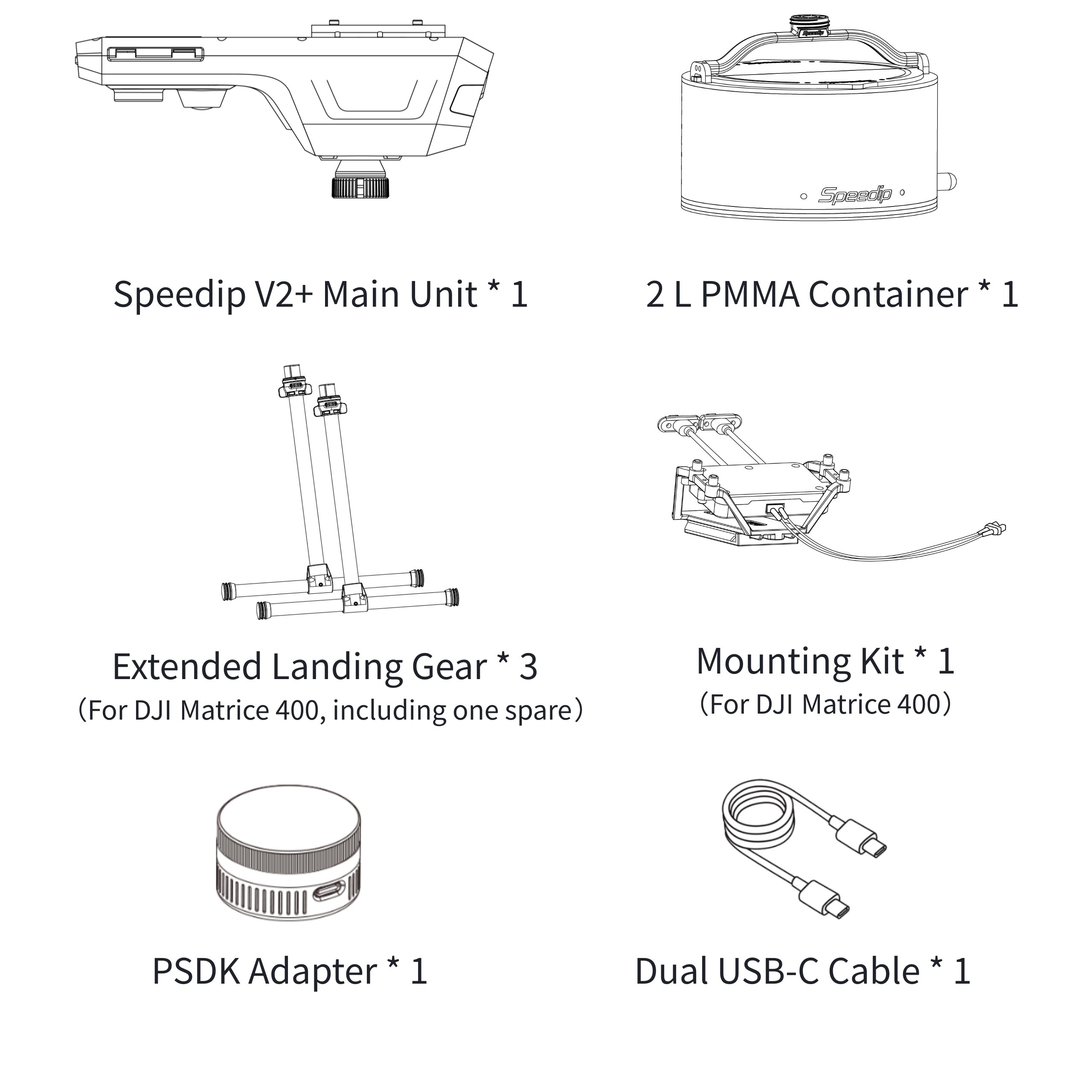
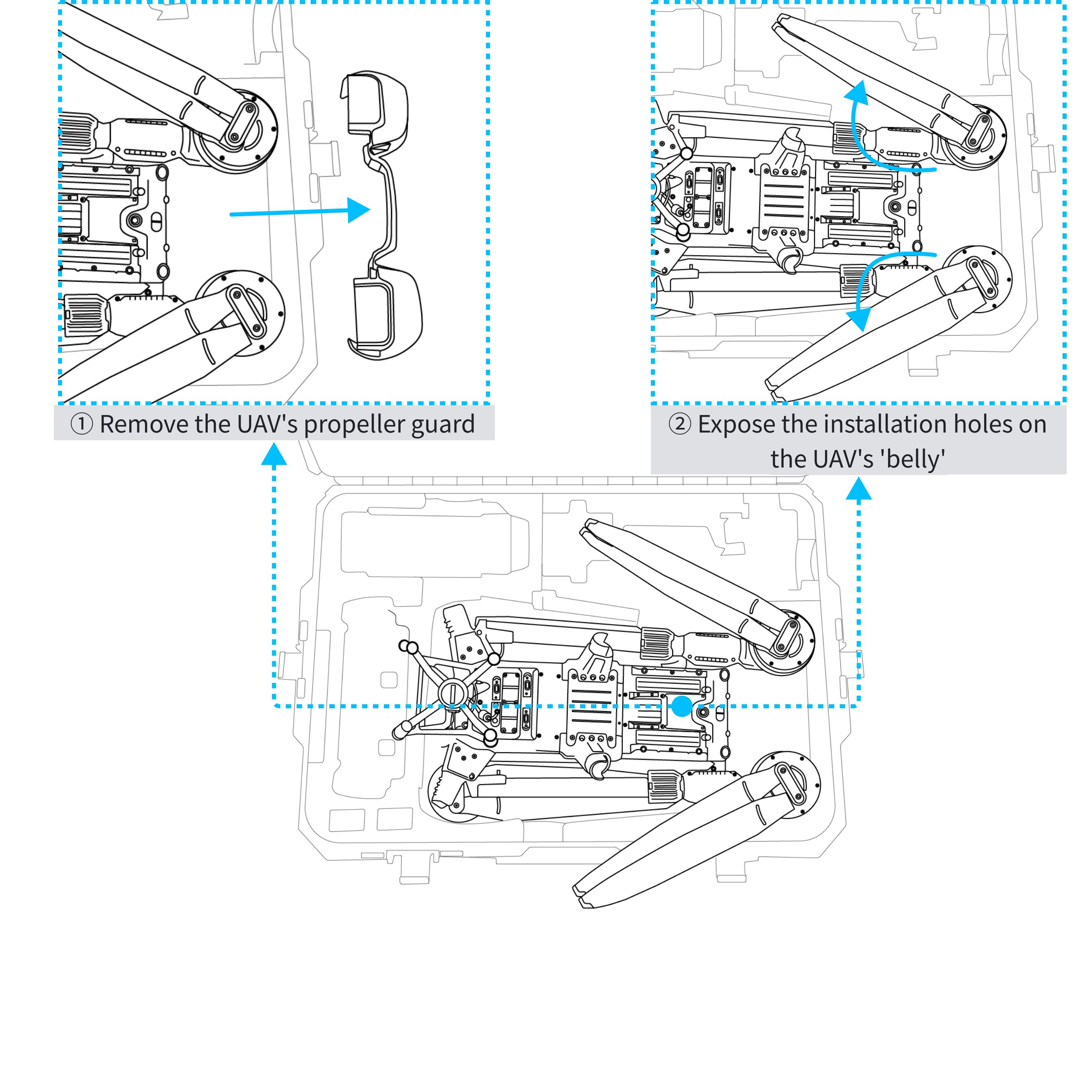
3.1 Open the UAV transport case, remove the UAV's propeller guard, and expose the installation holes on the UAV's 'belly'.
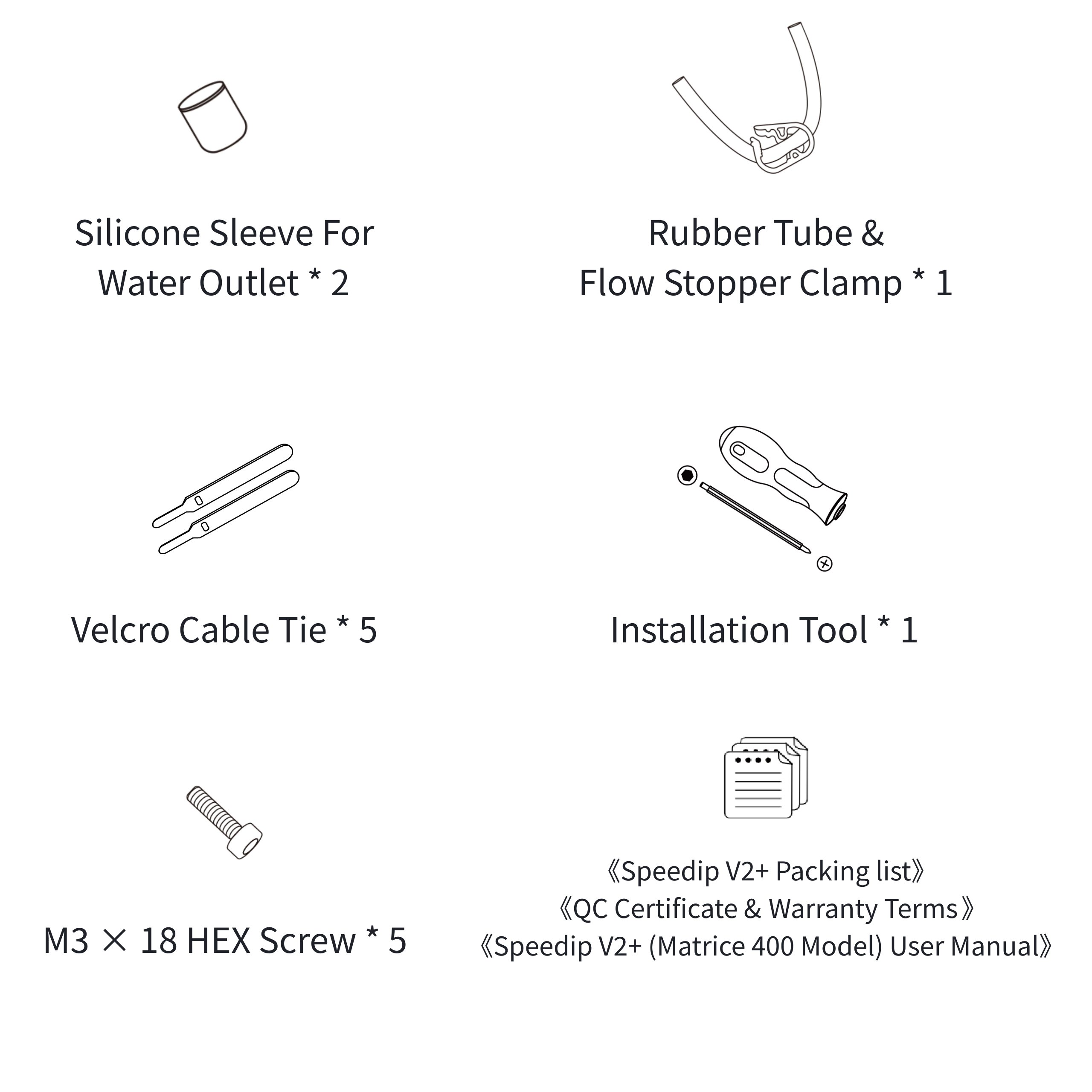
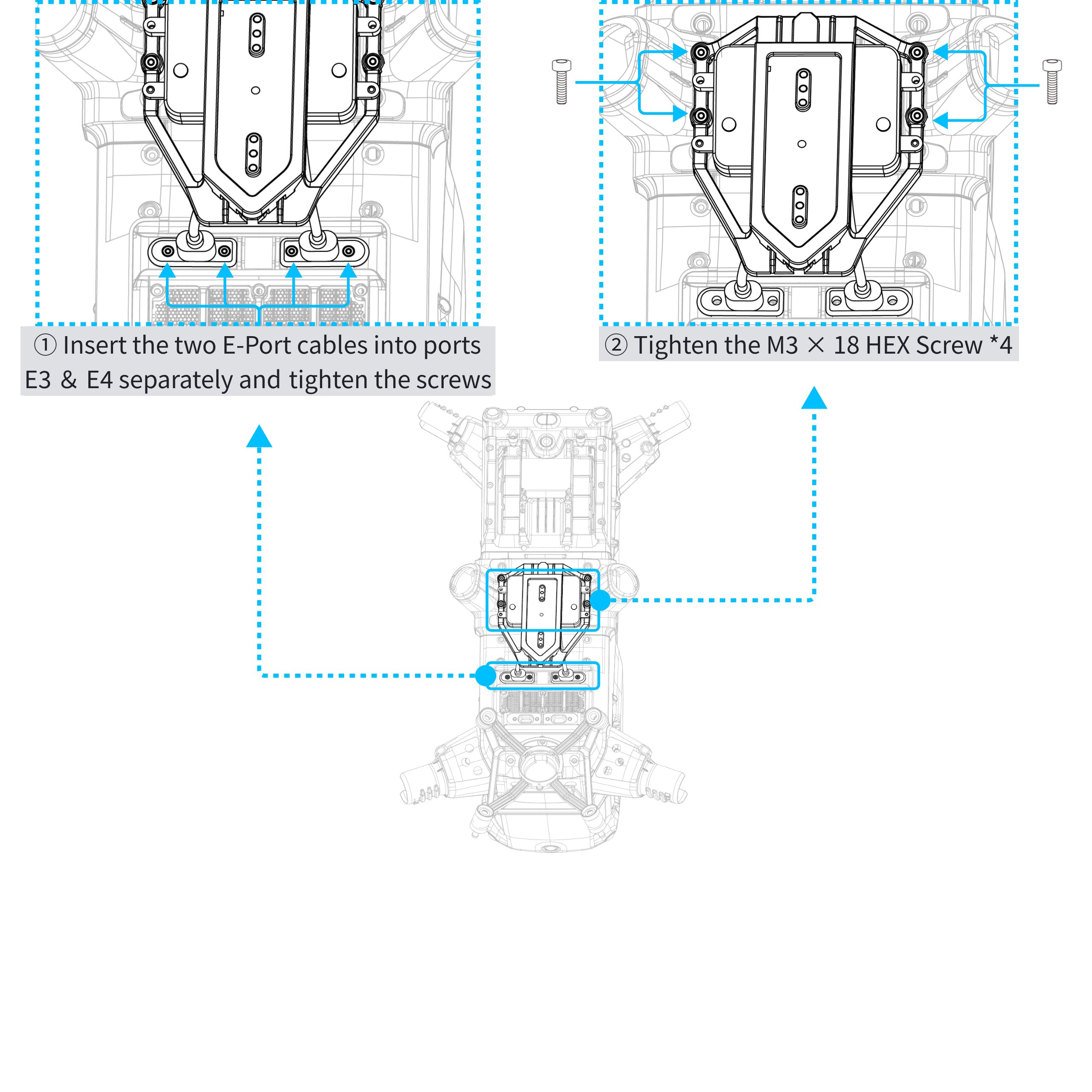
3.2 Secure "Speedip V2+ Mounting Kit" on DJI Matrice 400.
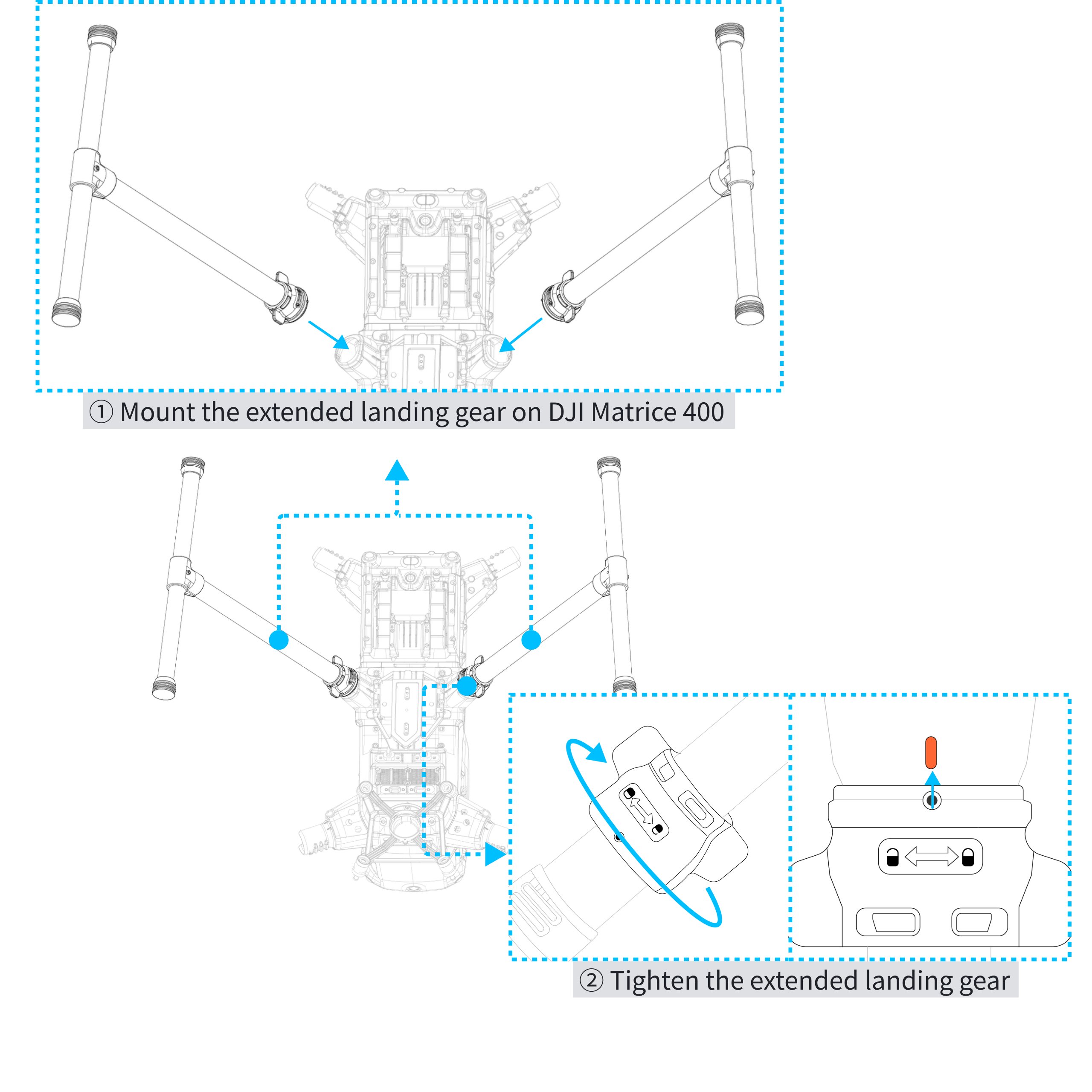
3.3 Mount "Speedip V2+ Extended Landing Gear" on DJI Matrice 400.
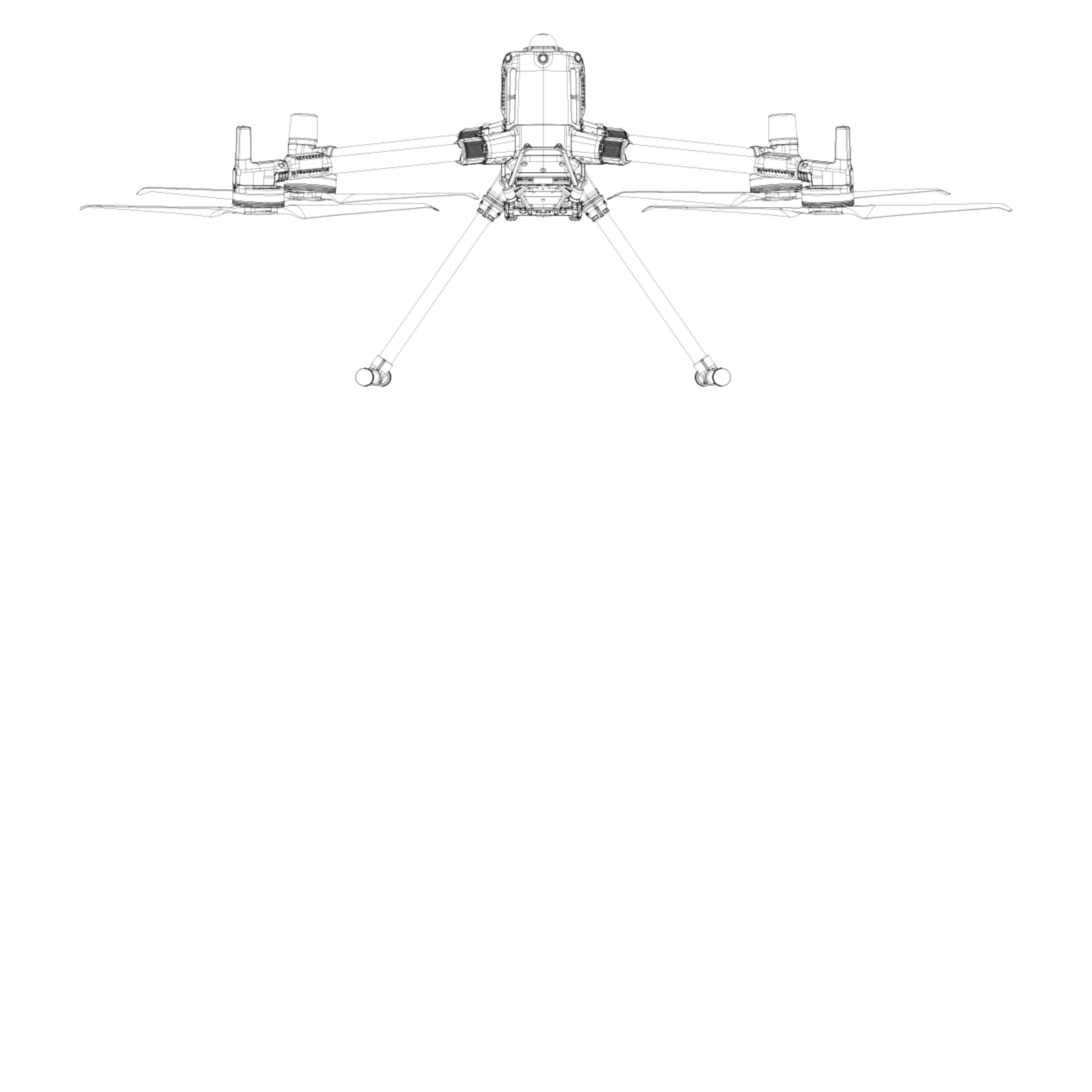
3.4 After installation is completed, please take off the UAV and place it upright on the flat ground.
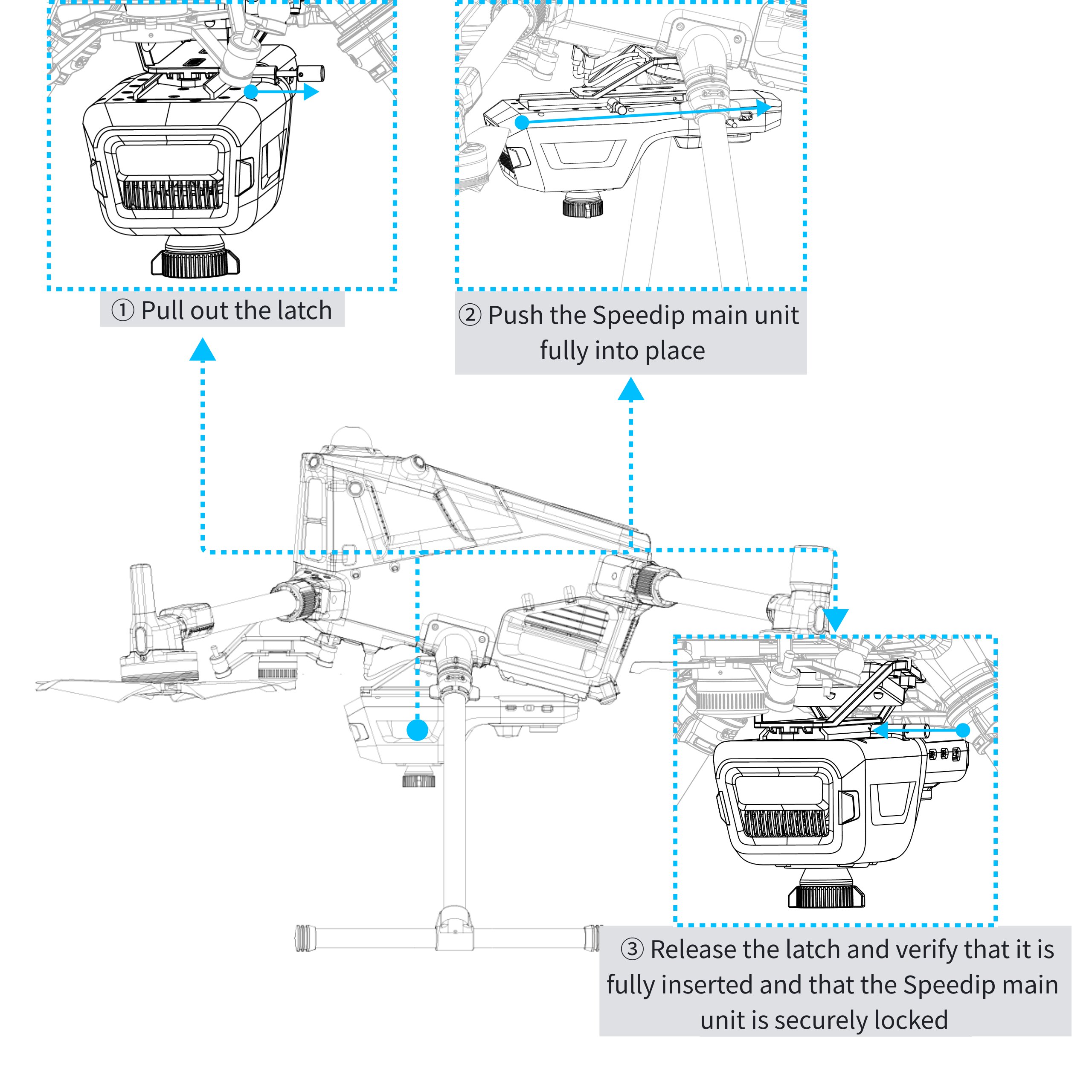
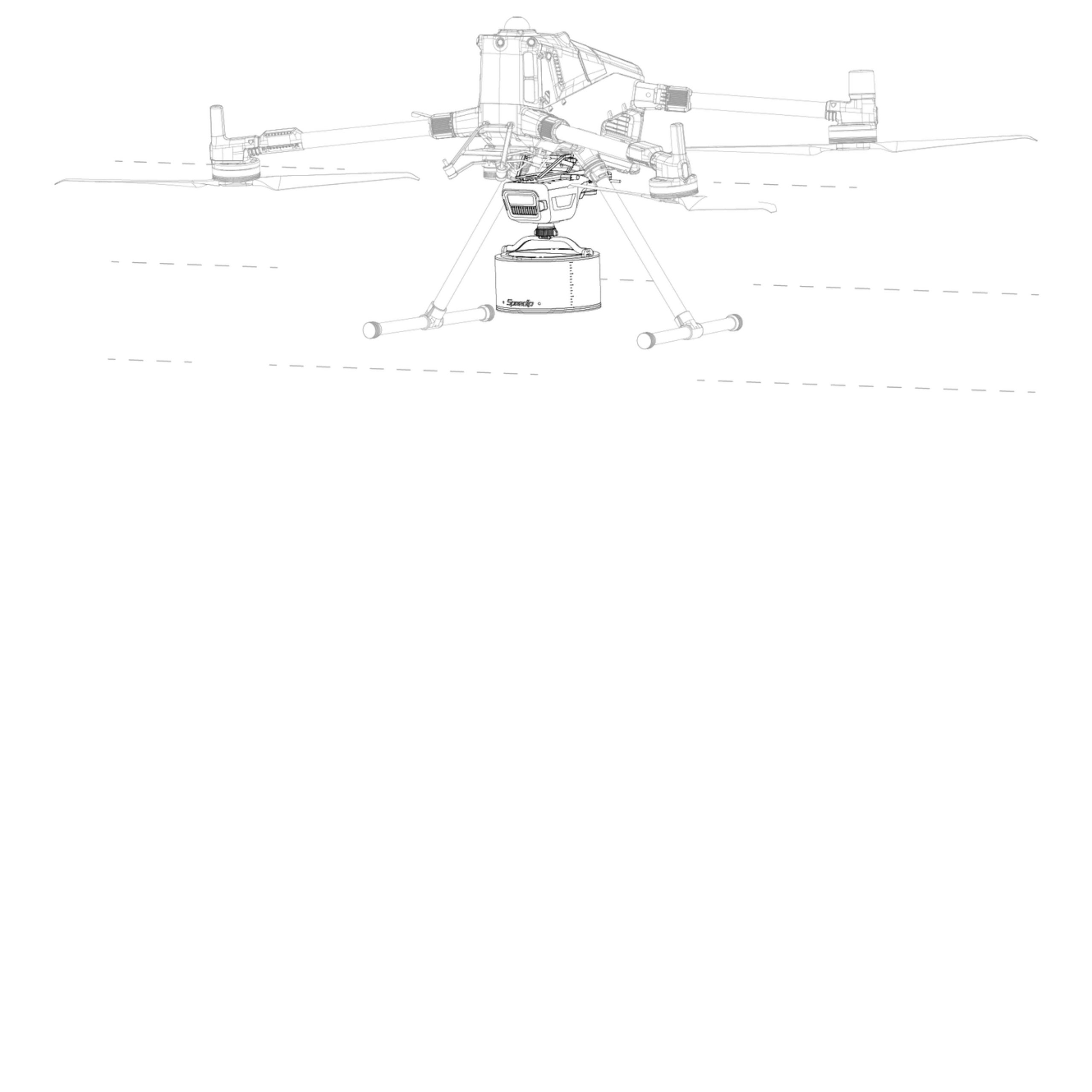
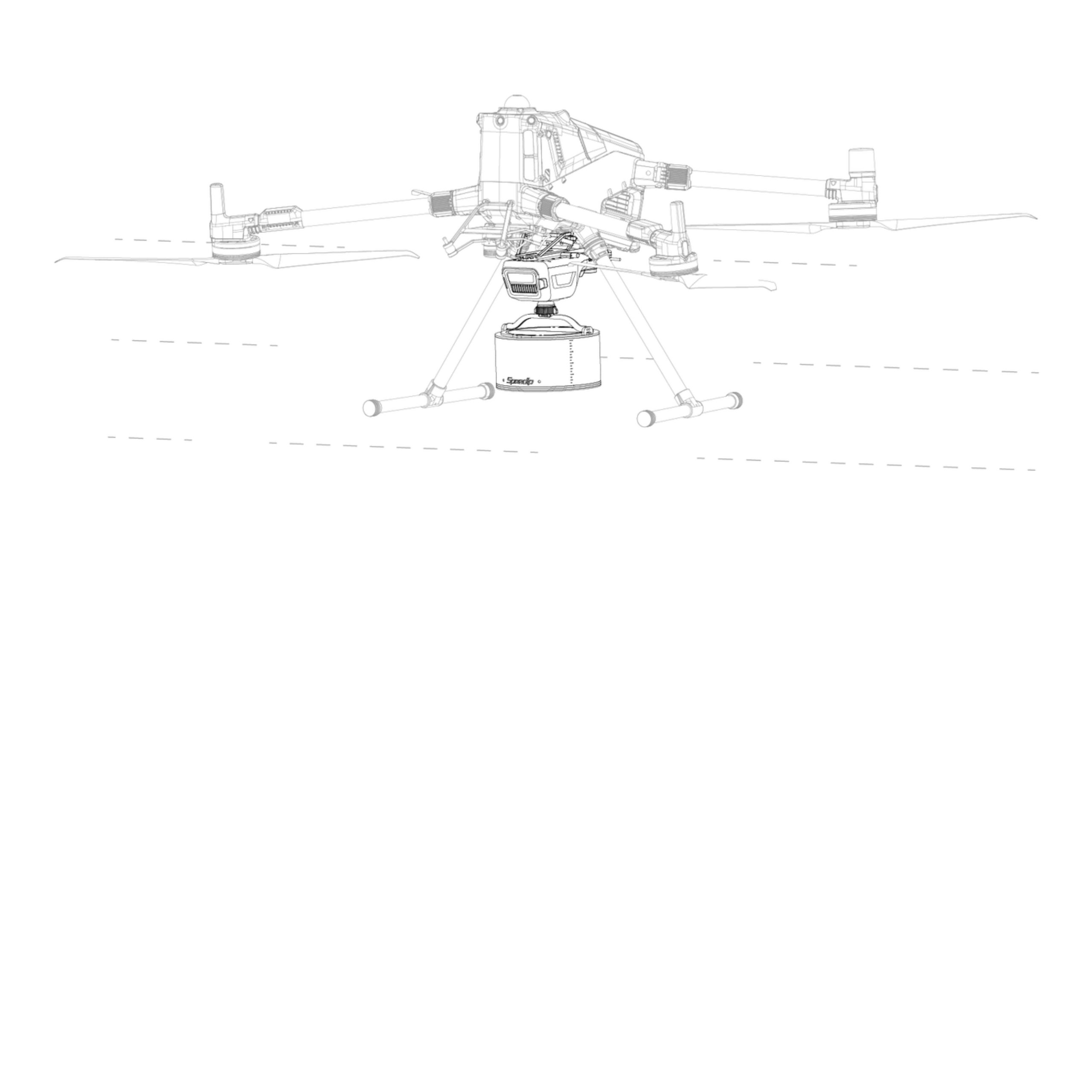
3.5 Mount the Speedip V2+ on DJI Matrice 400 UAV.
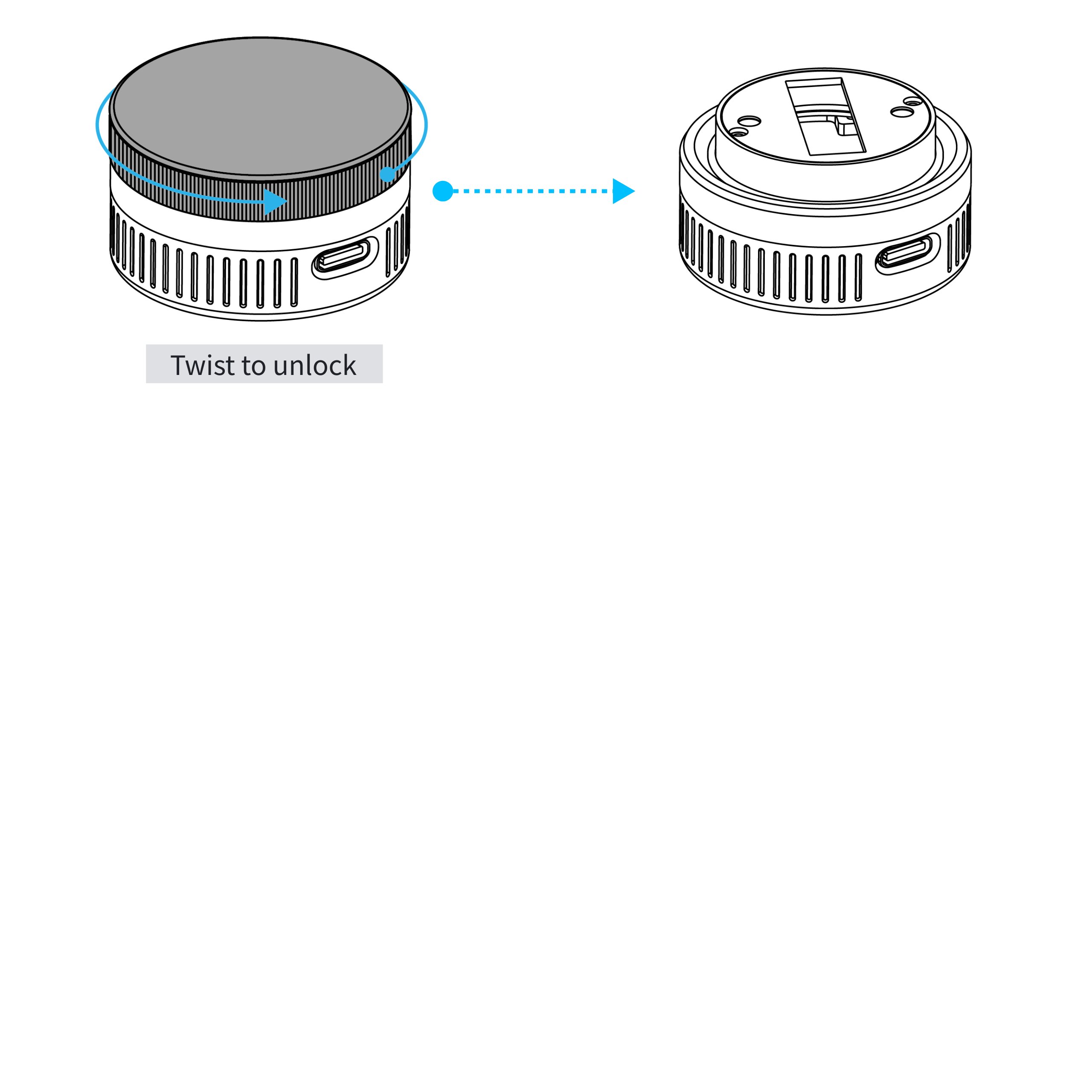
3.6 Remove the cover from Speedip V2+ PSDK adapter.
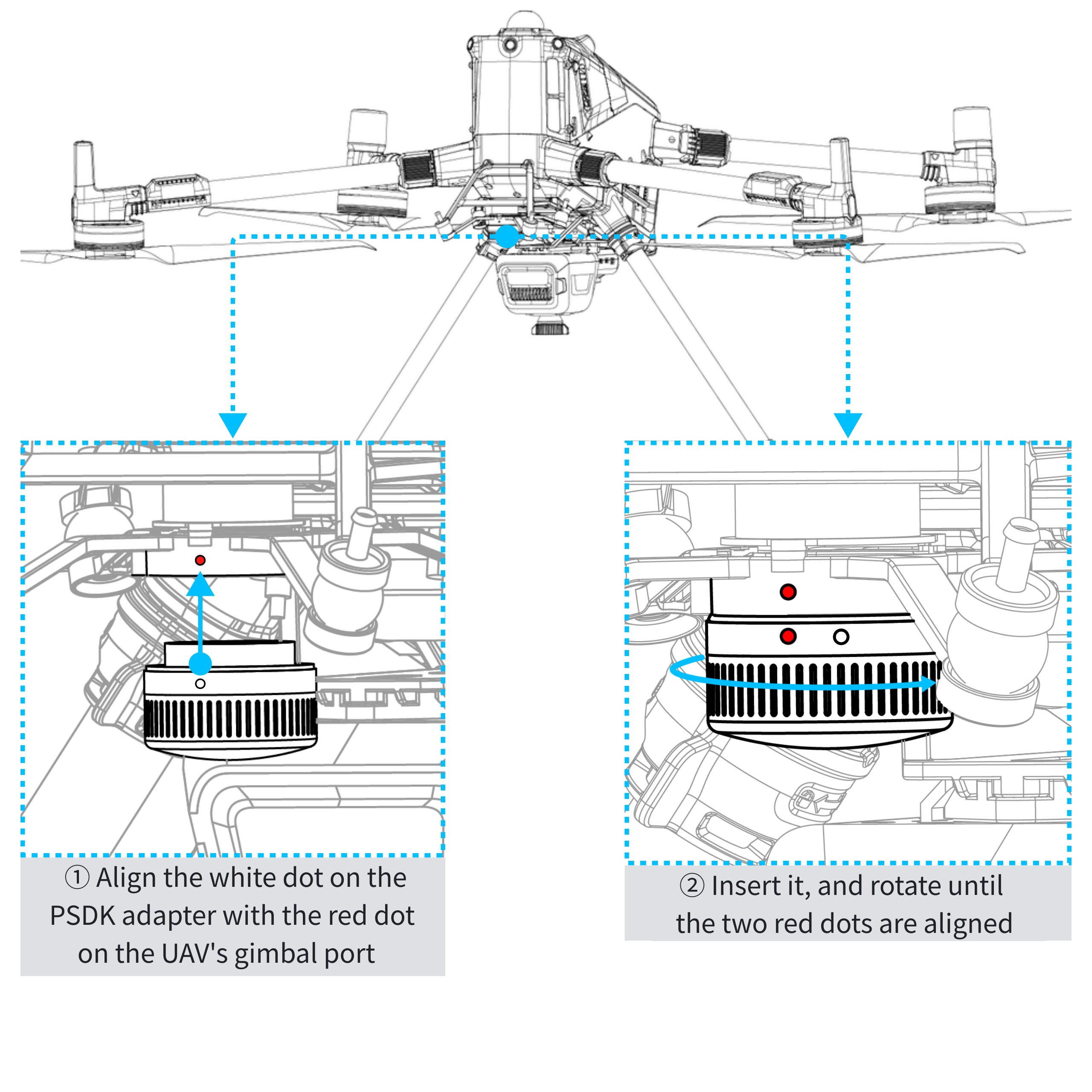
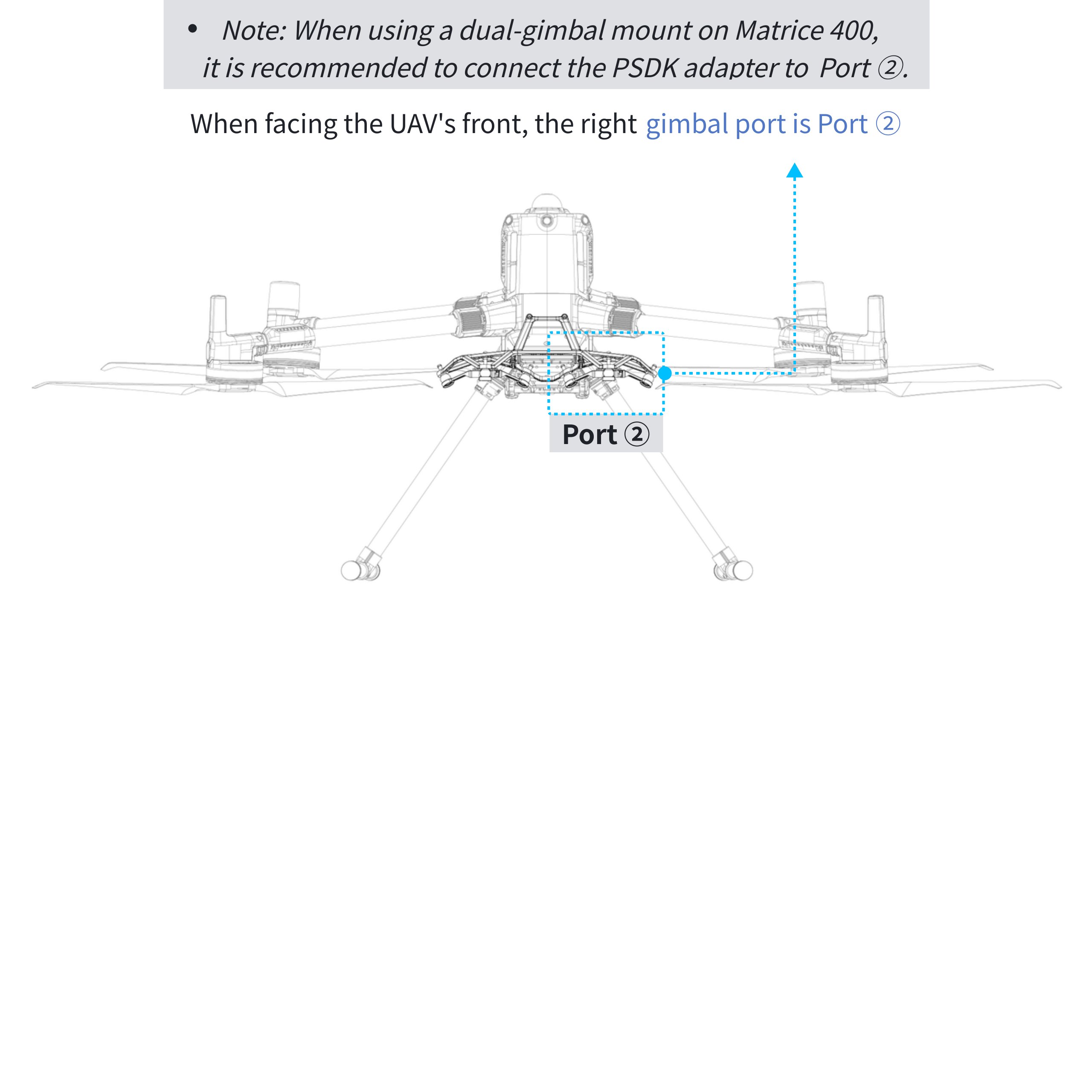
3.7 Align the white dot on the PSDK adapter with the red dot on UAV's gimbal port, insert it, and rotate until the two red dots are aligned. You should hear or feel a click.
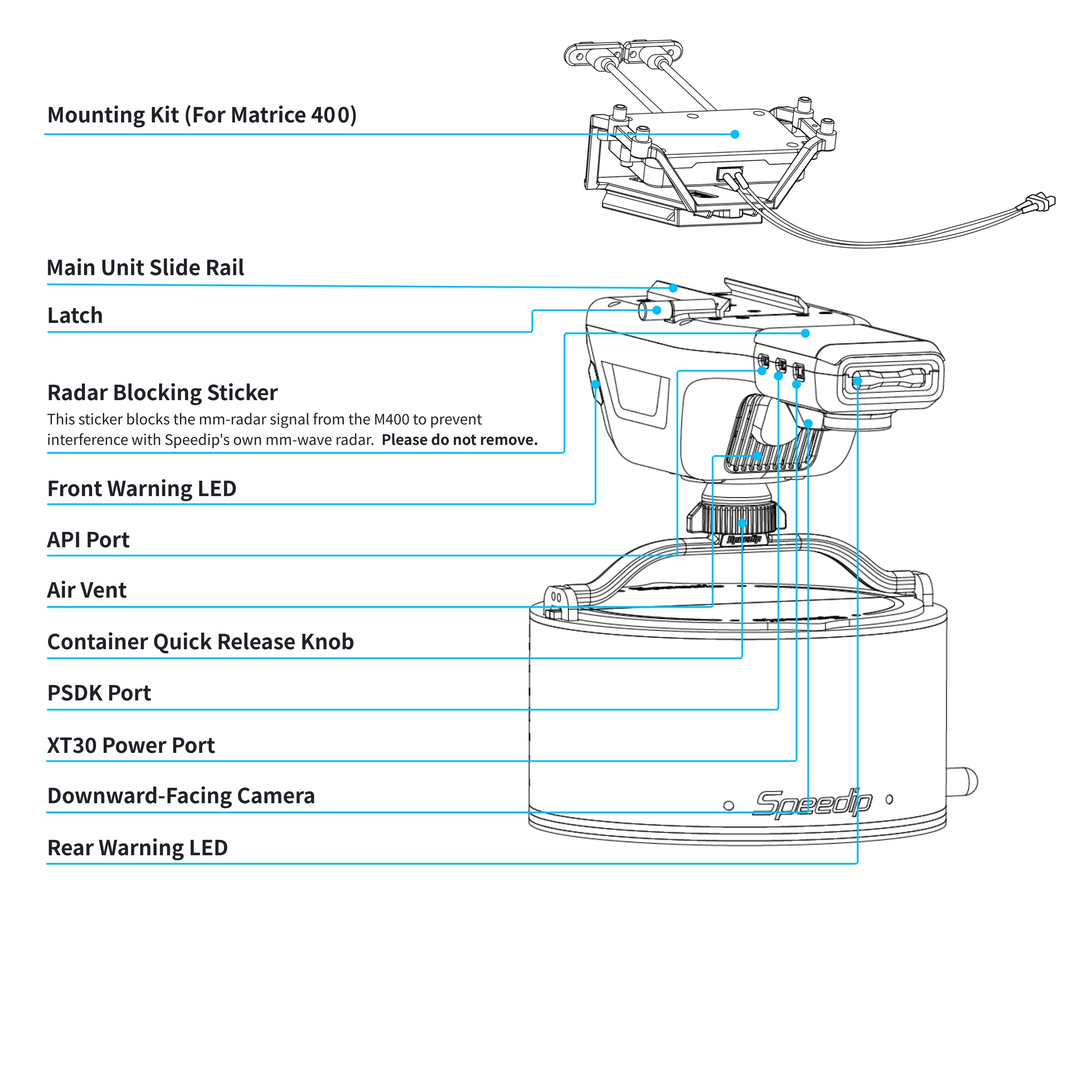
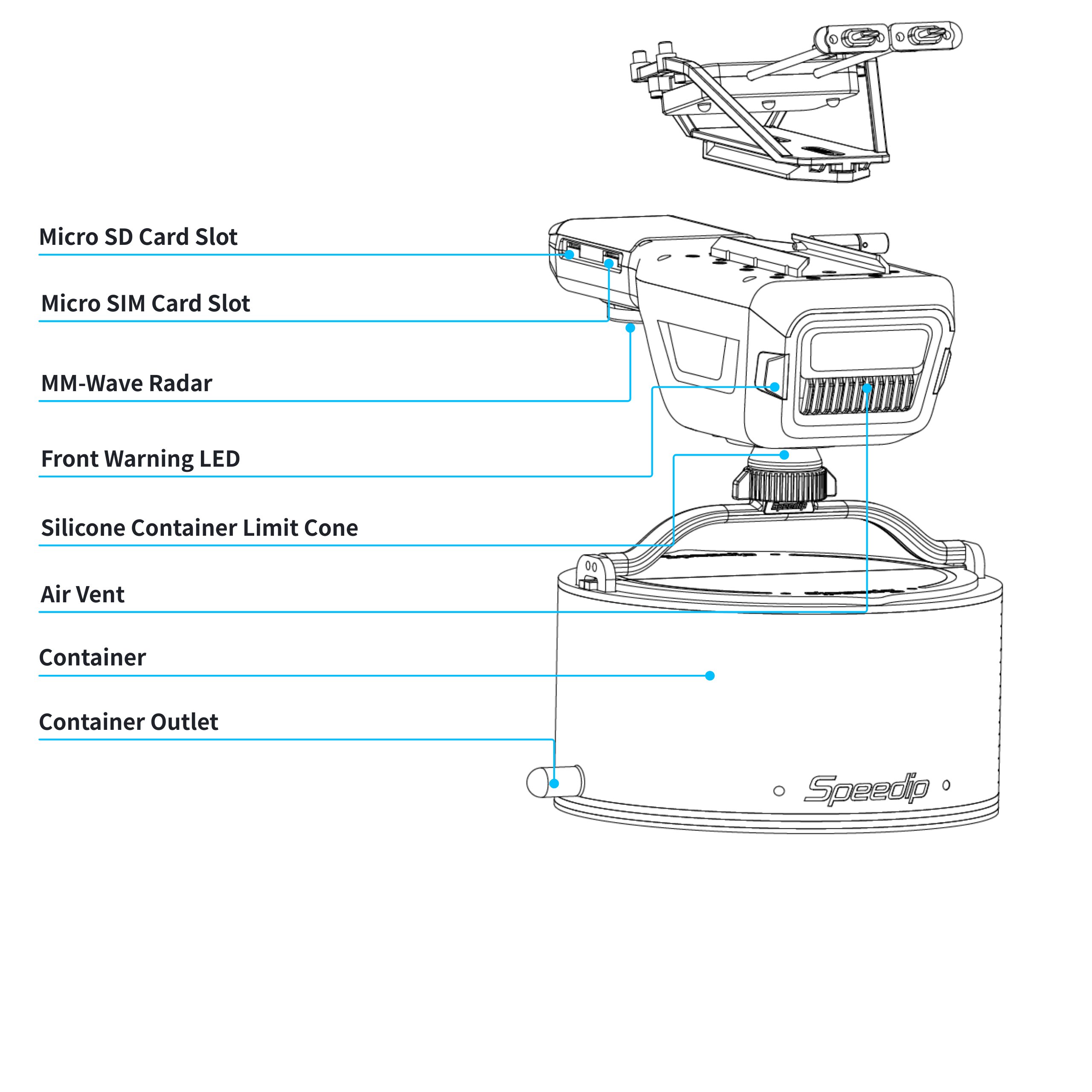
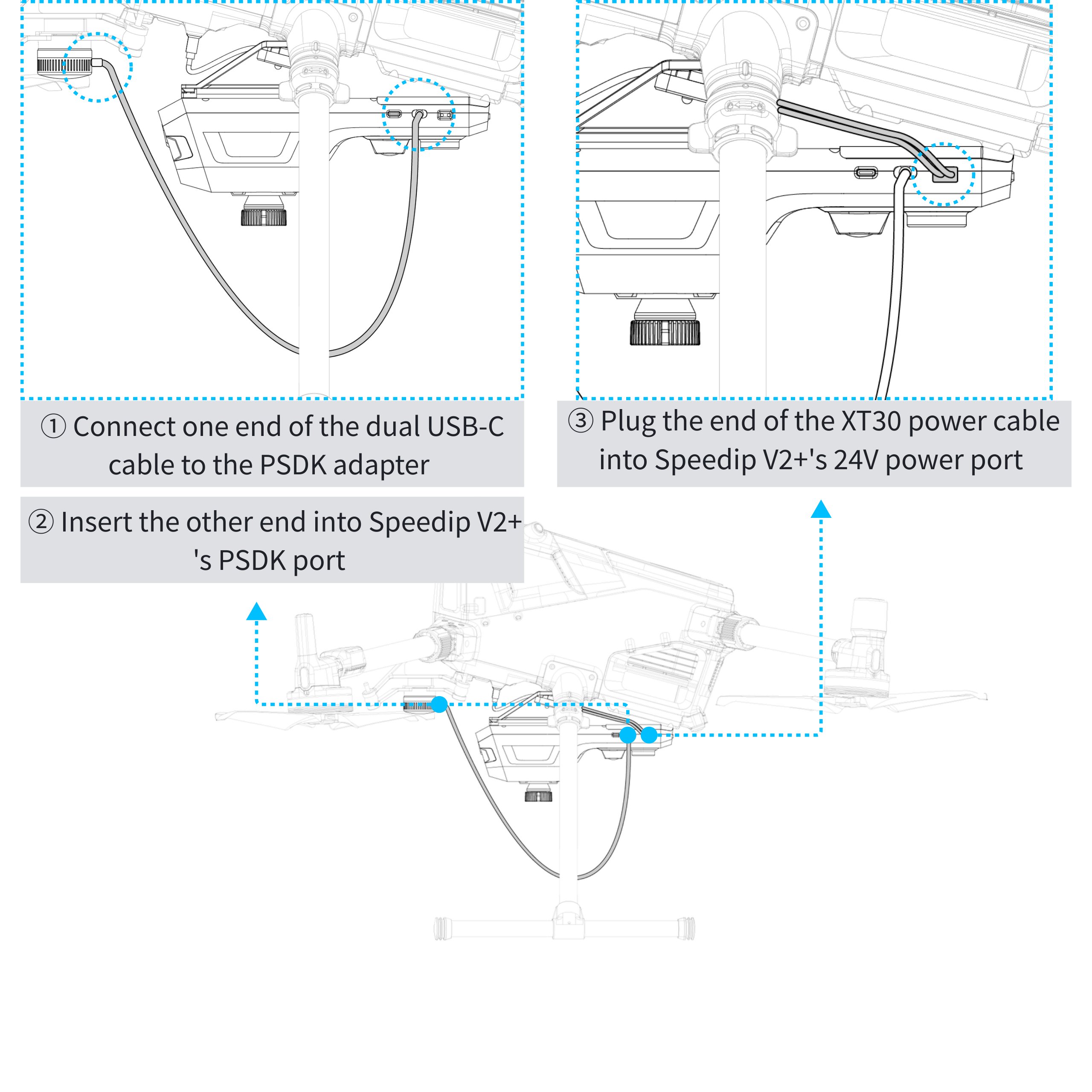
3.8 Connect one end of the dual USB-C cable to the PSDK adapter, and insert the other end into Speedip V2+'s PSDK port. Plug the end of the XT30 power cable into Speedip V2+'s 24V power port.
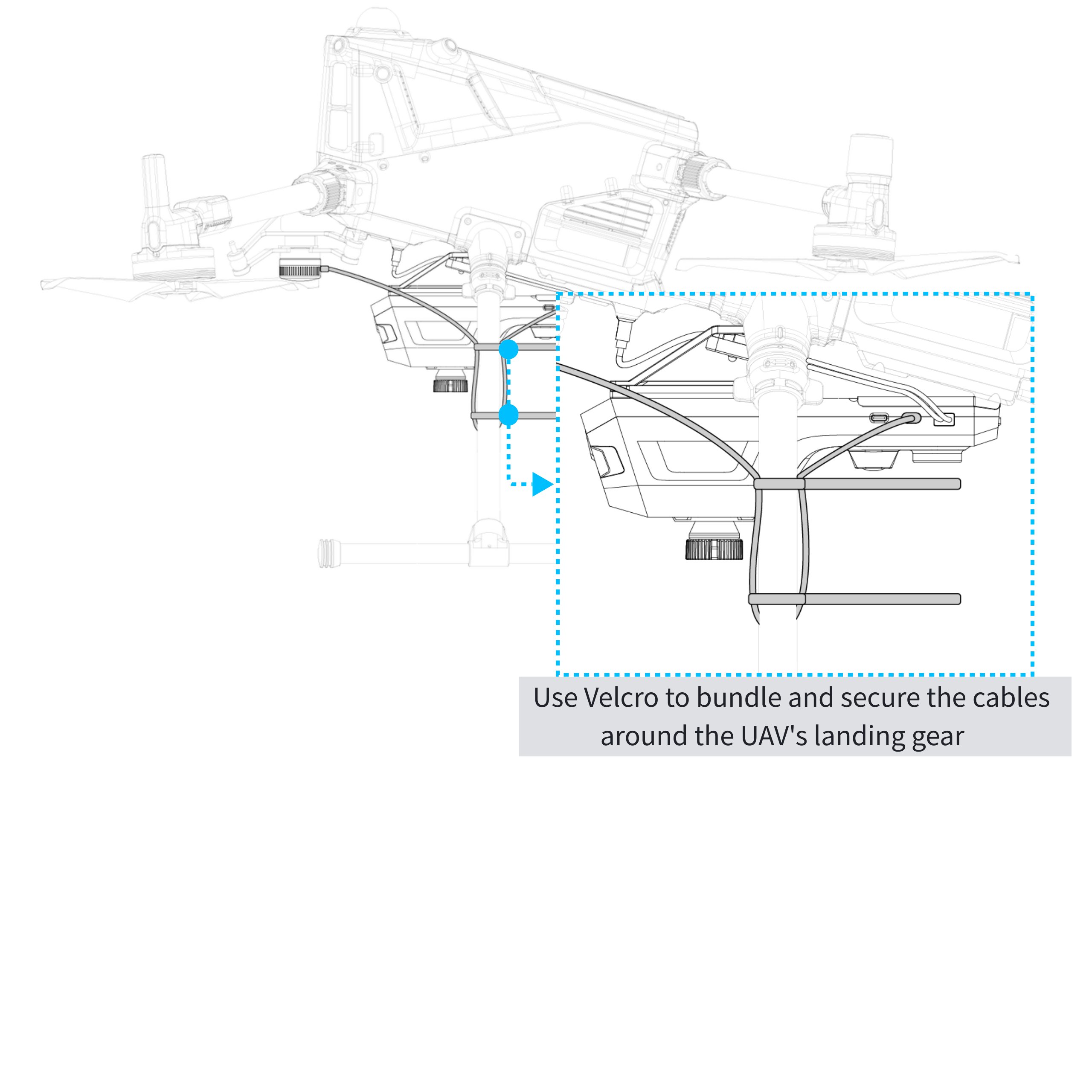
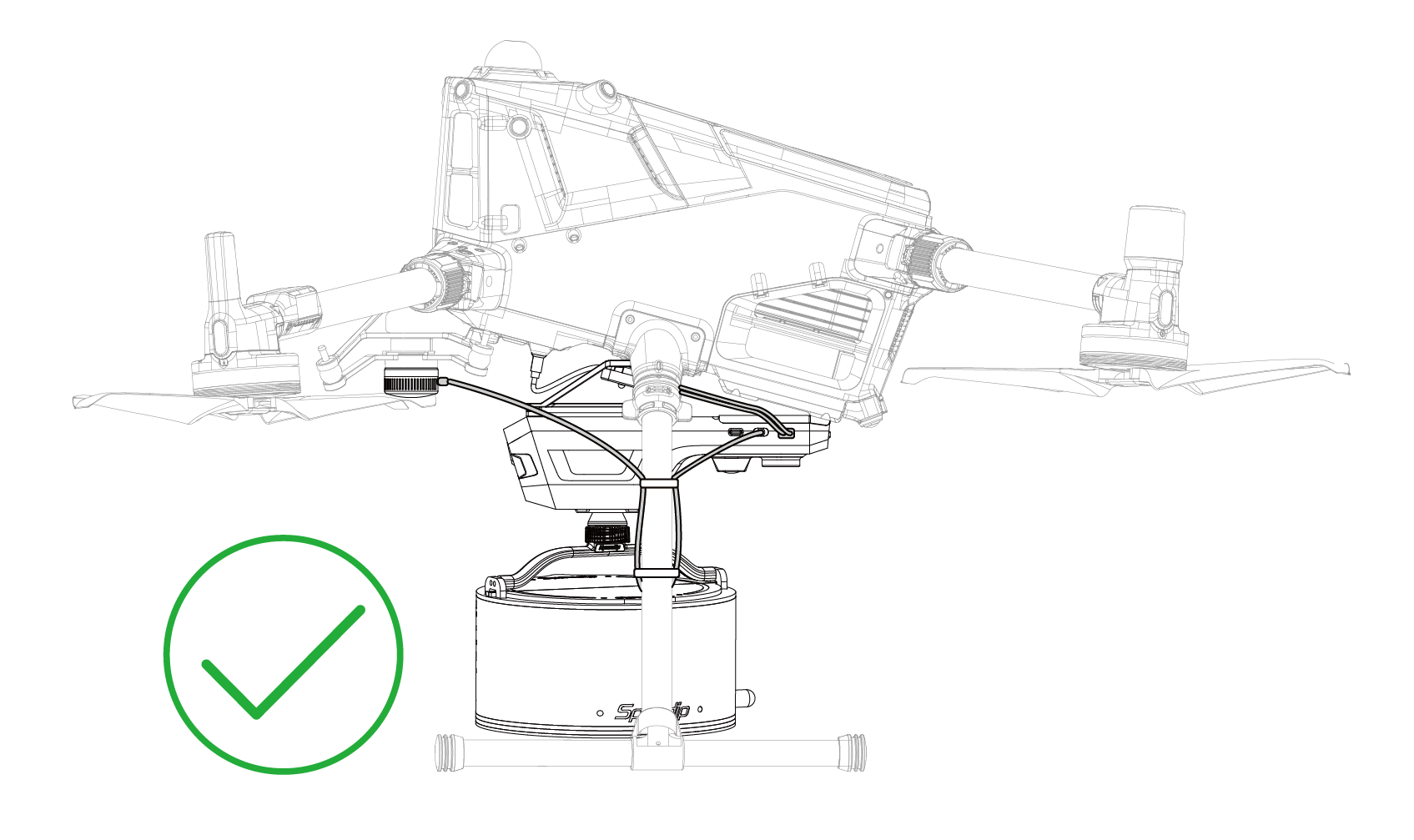
3.9 Use Velcro to bundle and secure the dual USB-C cable around the UAV's landing gear.
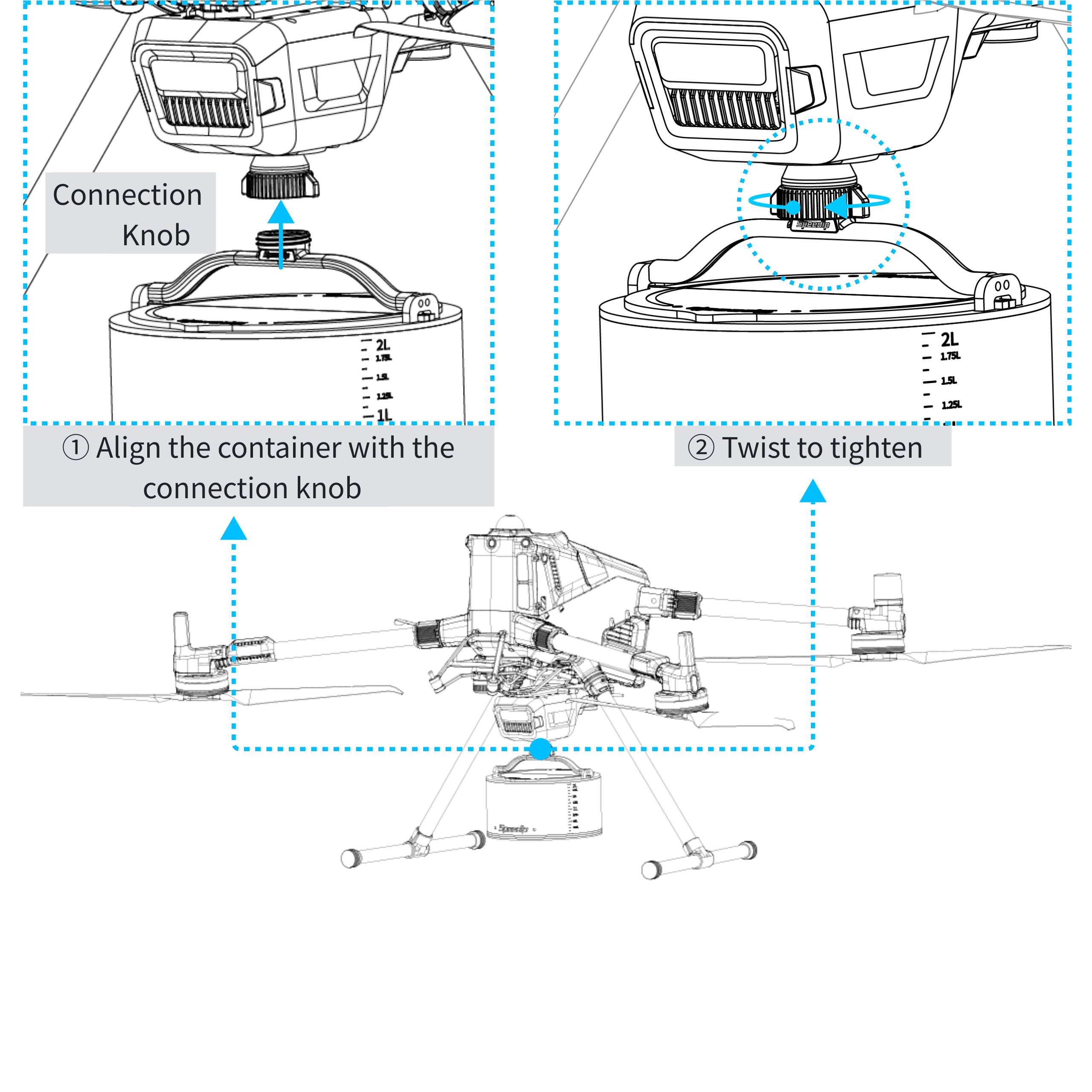
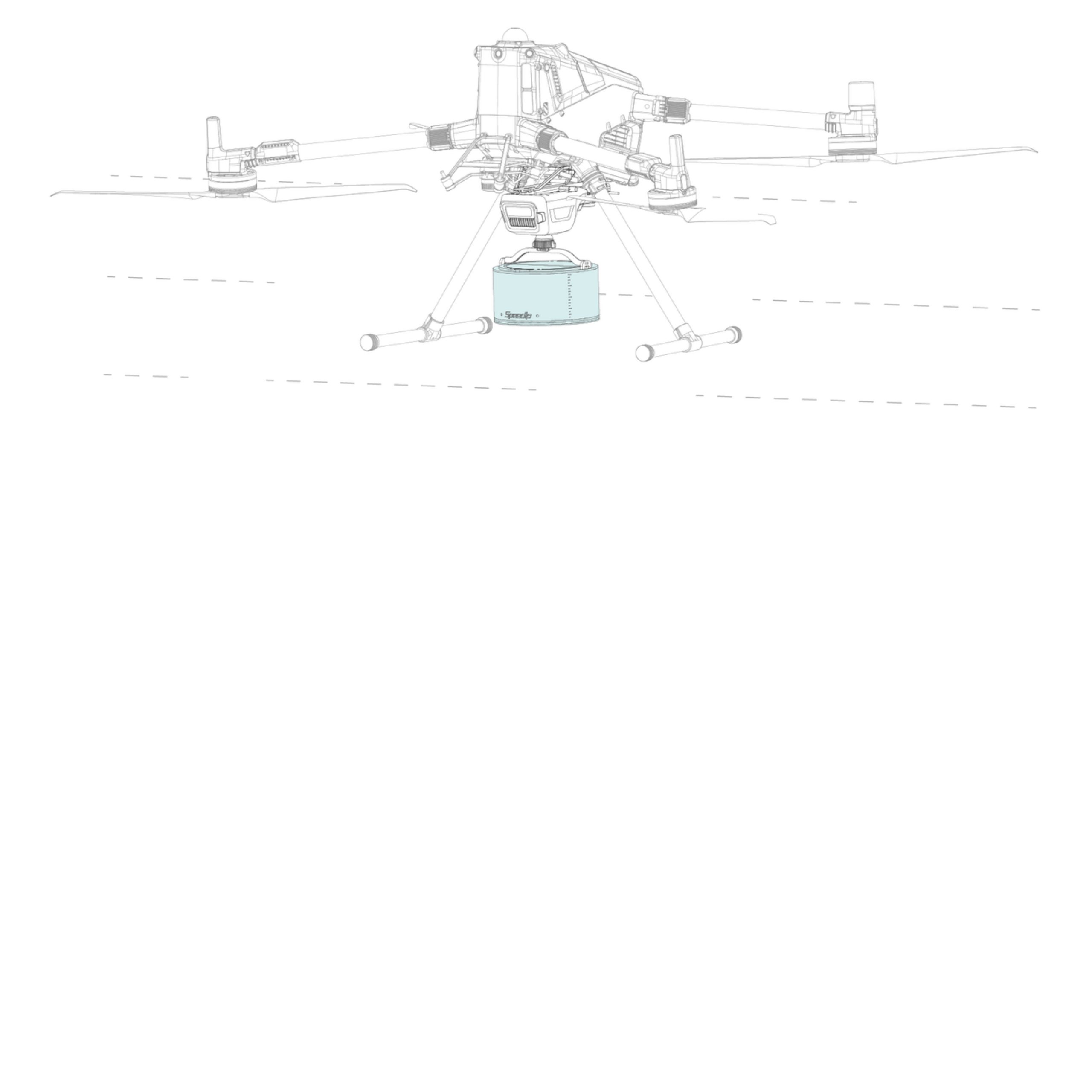
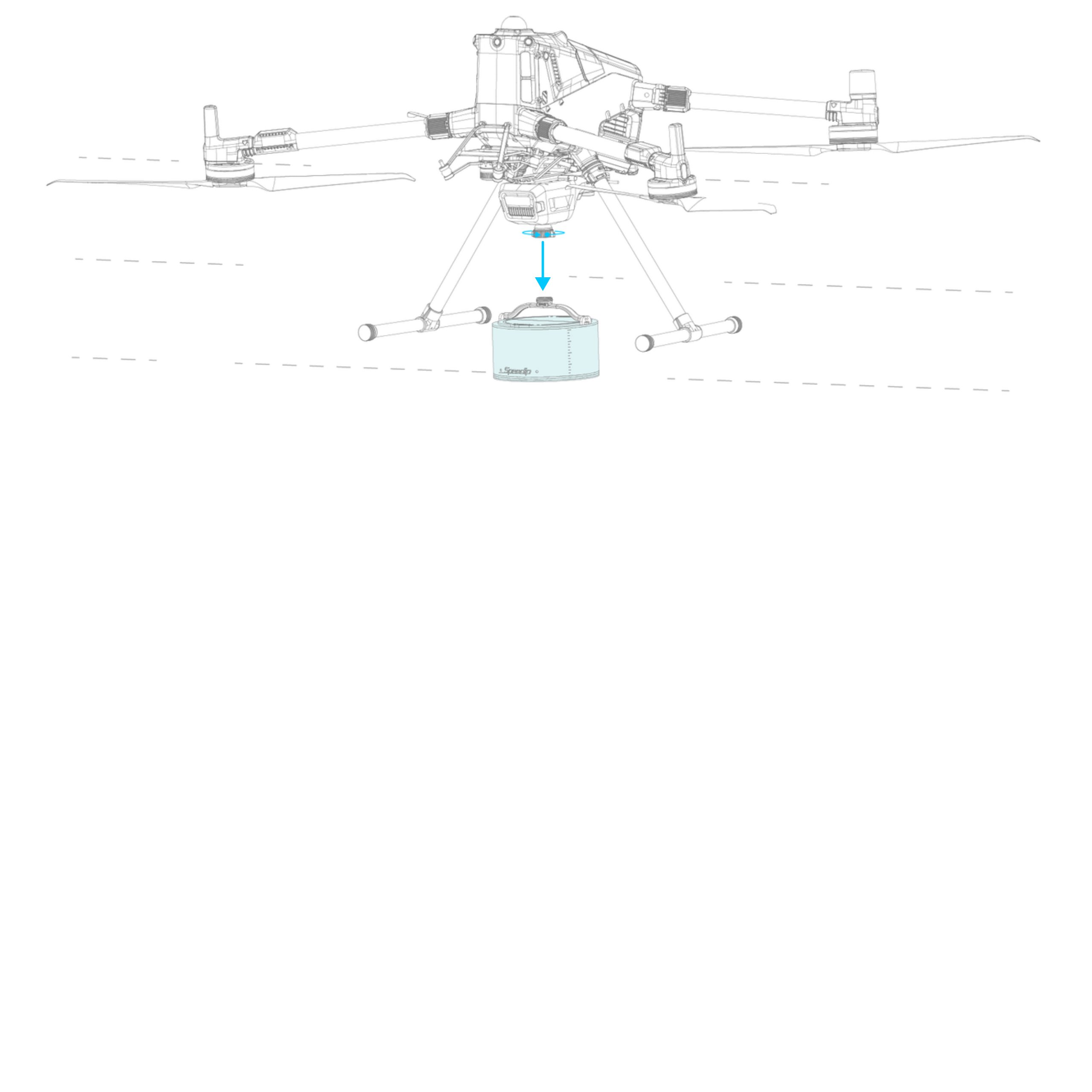
3.10 Align the sampling container with the connection knob and twist to tighten the connection.
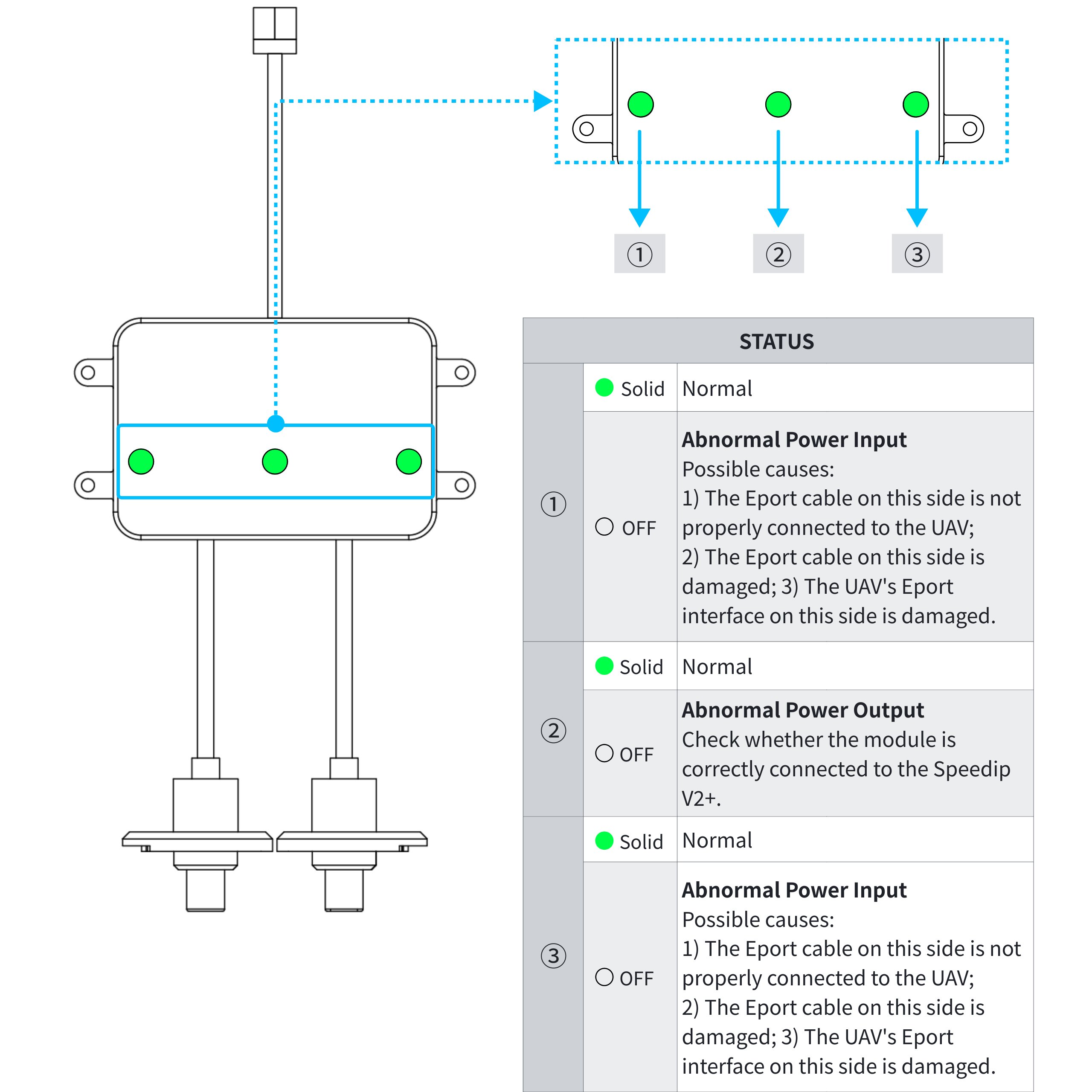
3.11 Turn on the UAV's remote controller, then power on the UAV. Please verify that the three status indicators on the Speedip V2+ mounting kit are normal (as shown below).
3.12 Installation of Speedip V2+ on DJI Matrice 400 UAV is now complete.
4.Performing a Water Sampling Mission
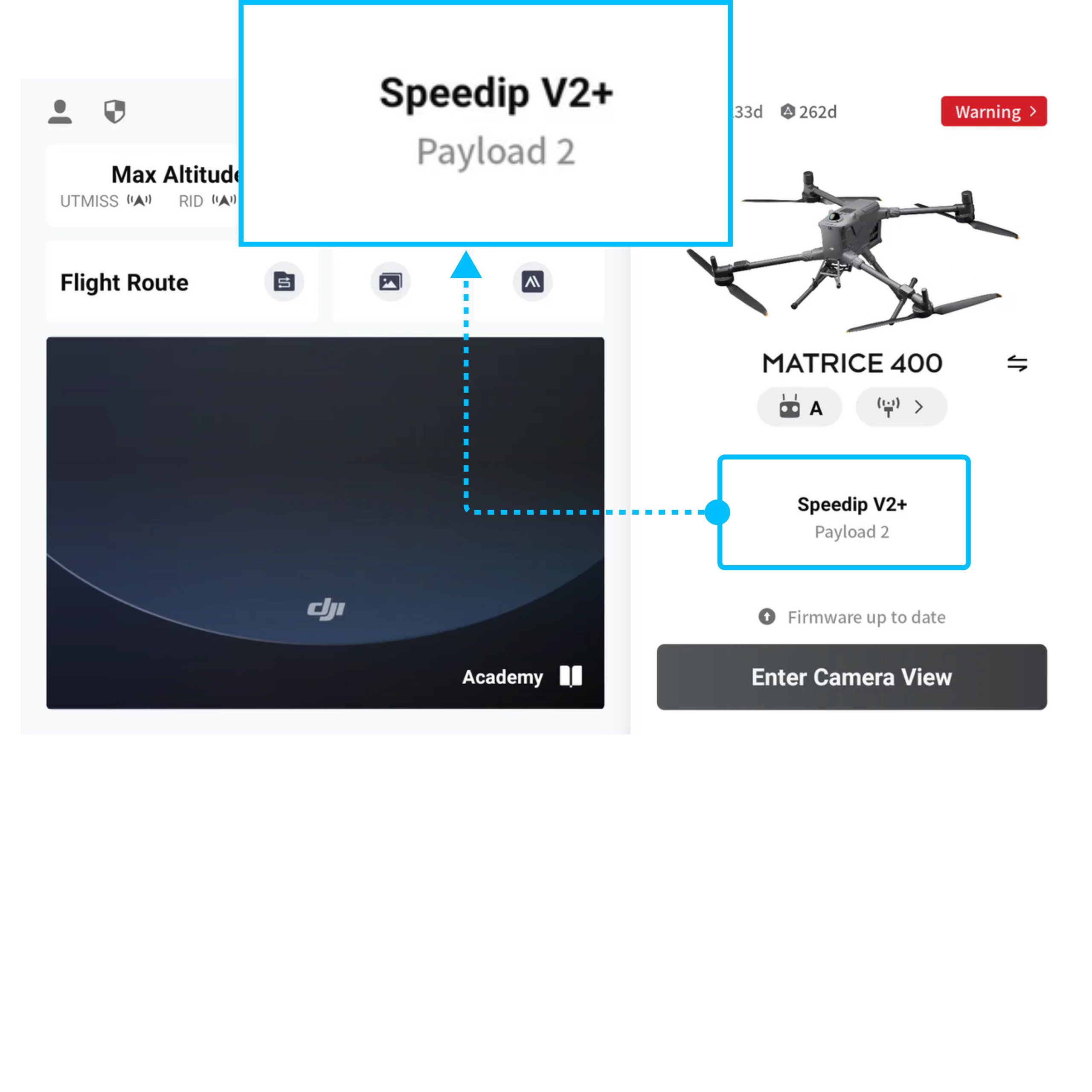
4.1 Upon arriving near the operation site, turn on the UAV's remote controller, then power on the UAV. After around 60 seconds, open the DJI Pilot 2 App and confirm that the Speedip V2+ is recognized and communicating properly.
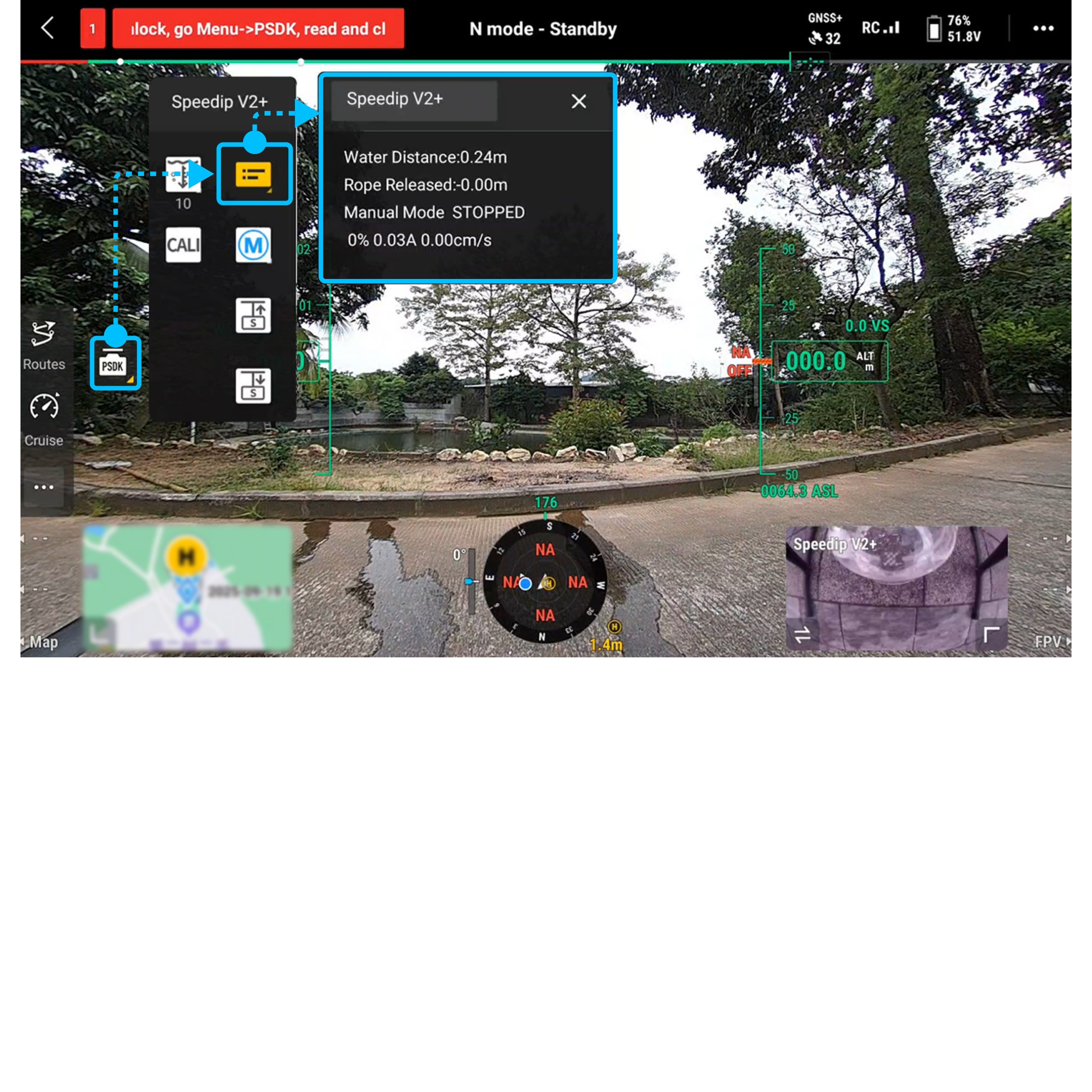
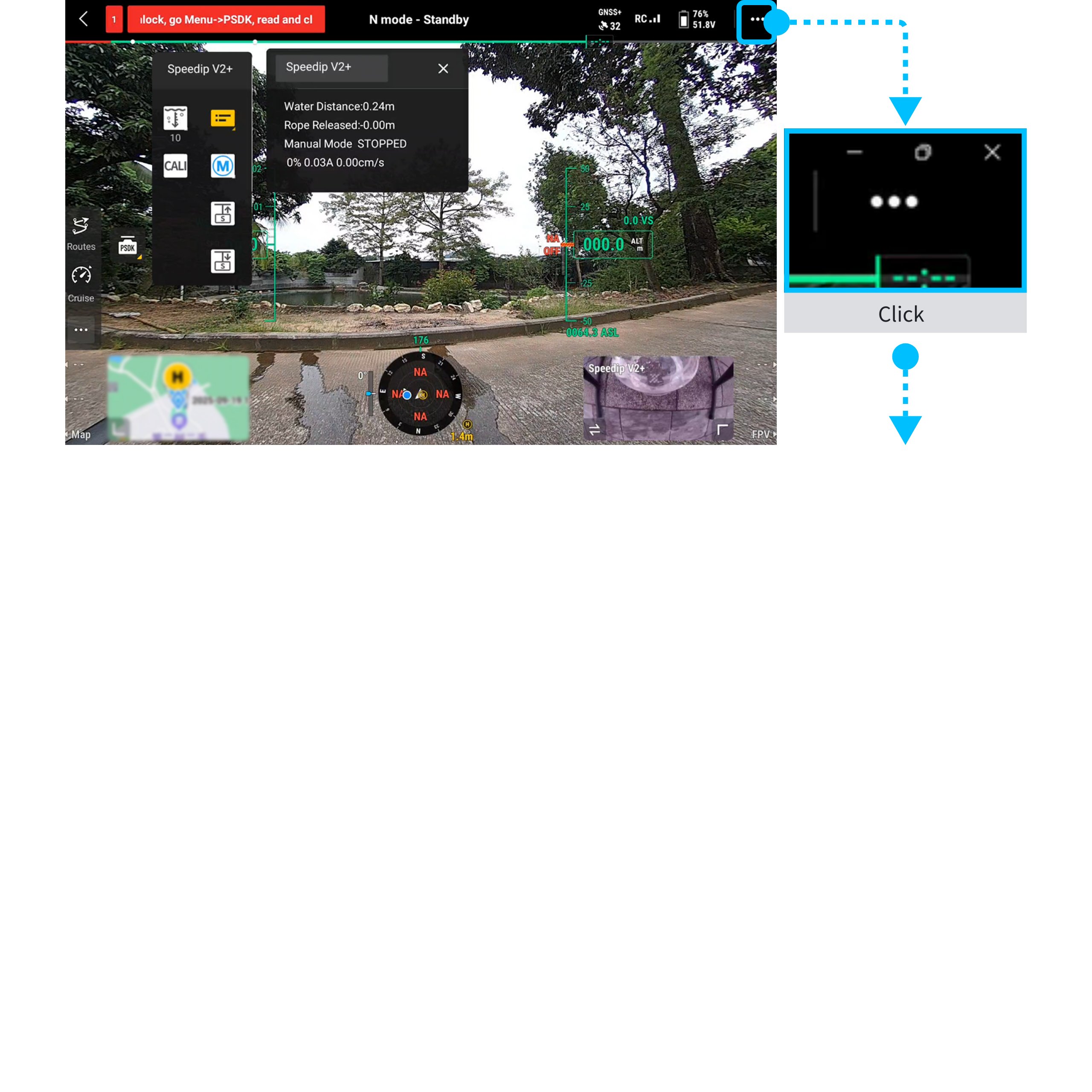
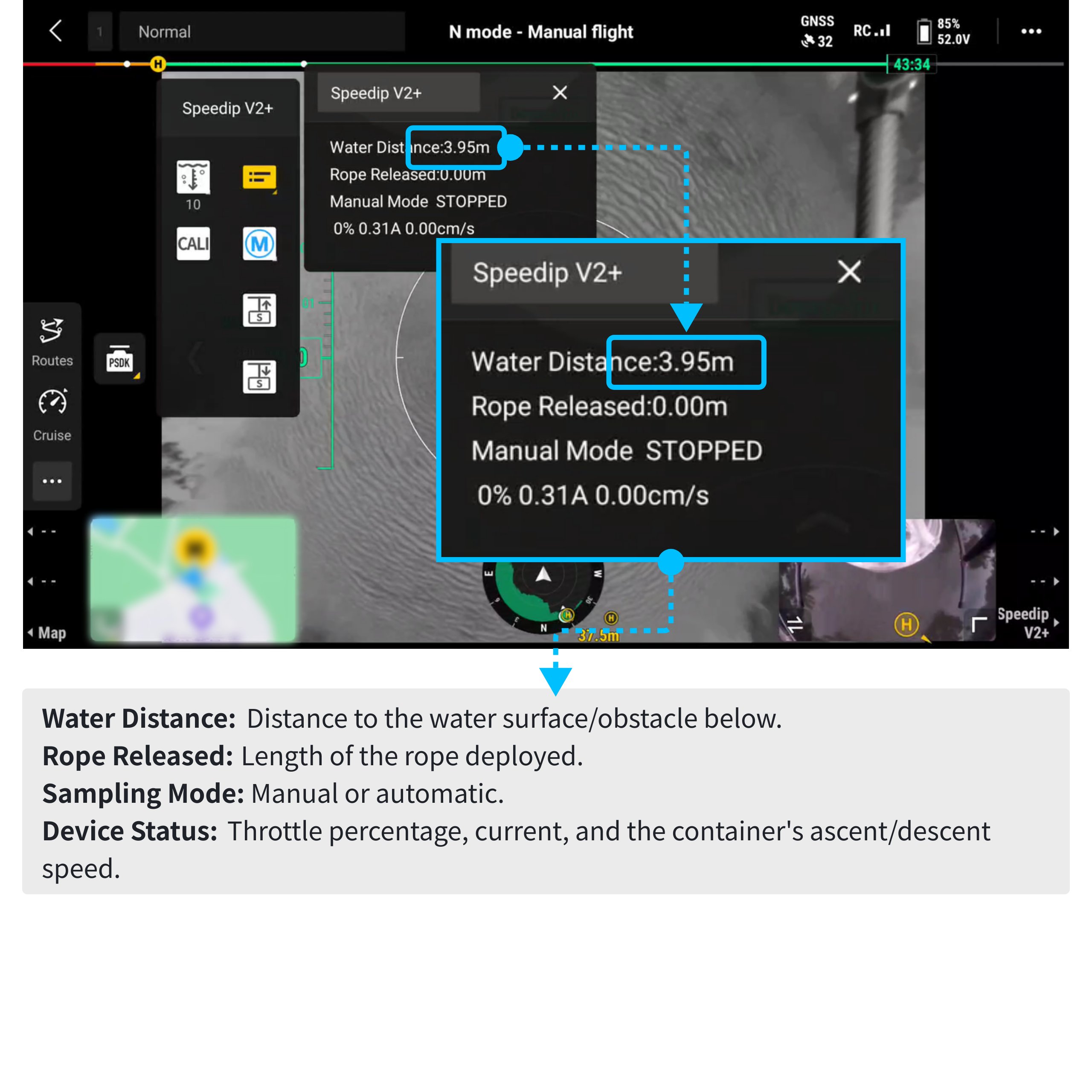
4.2 Enter the flight interface and tap the 'PSDK' button to open Speedip V2+'s function menu. Ensure that the camera feed is stable, and no crashes occur. Open the Real-Time Data window.
4.3 Position the UAV at a safe takeoff point and launch.
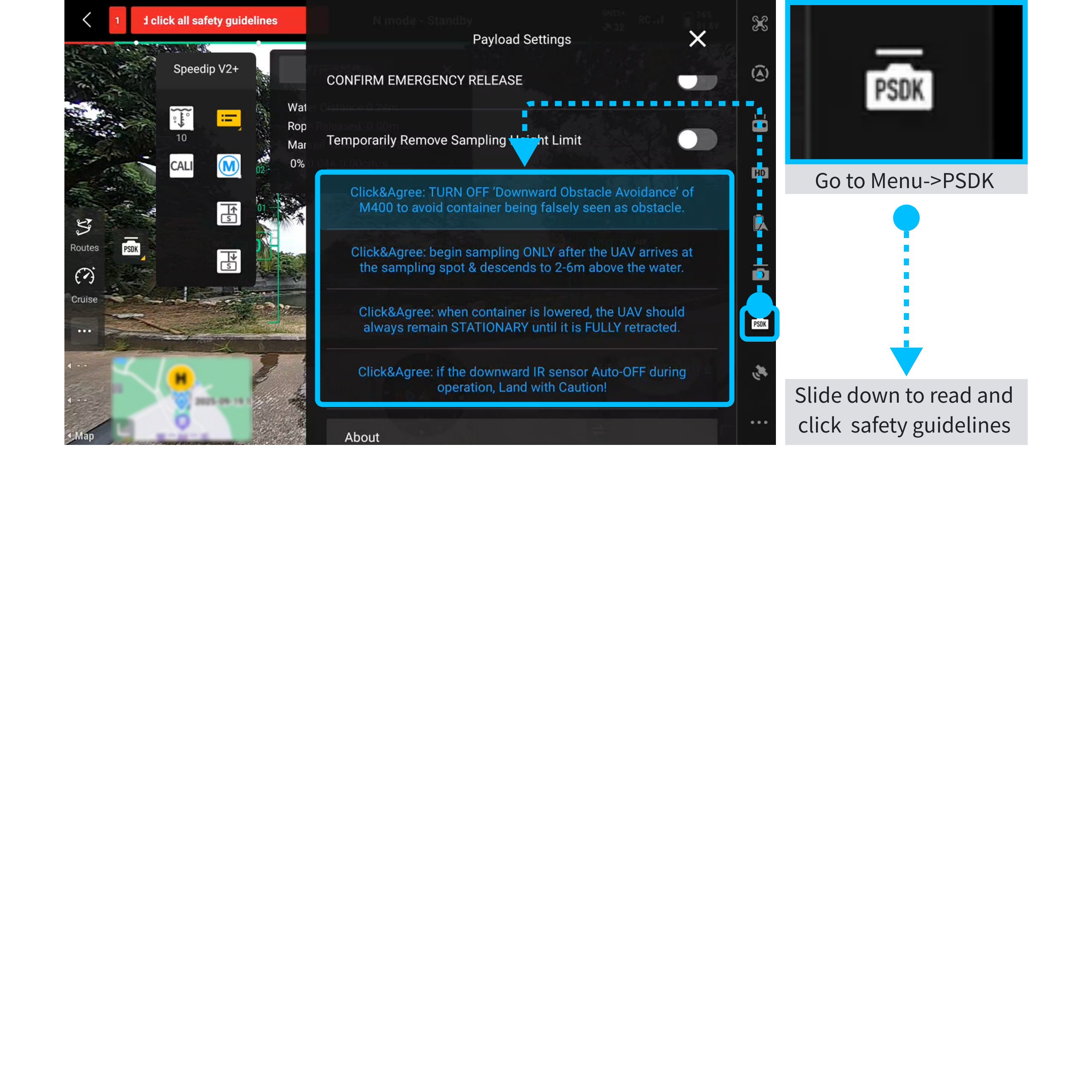
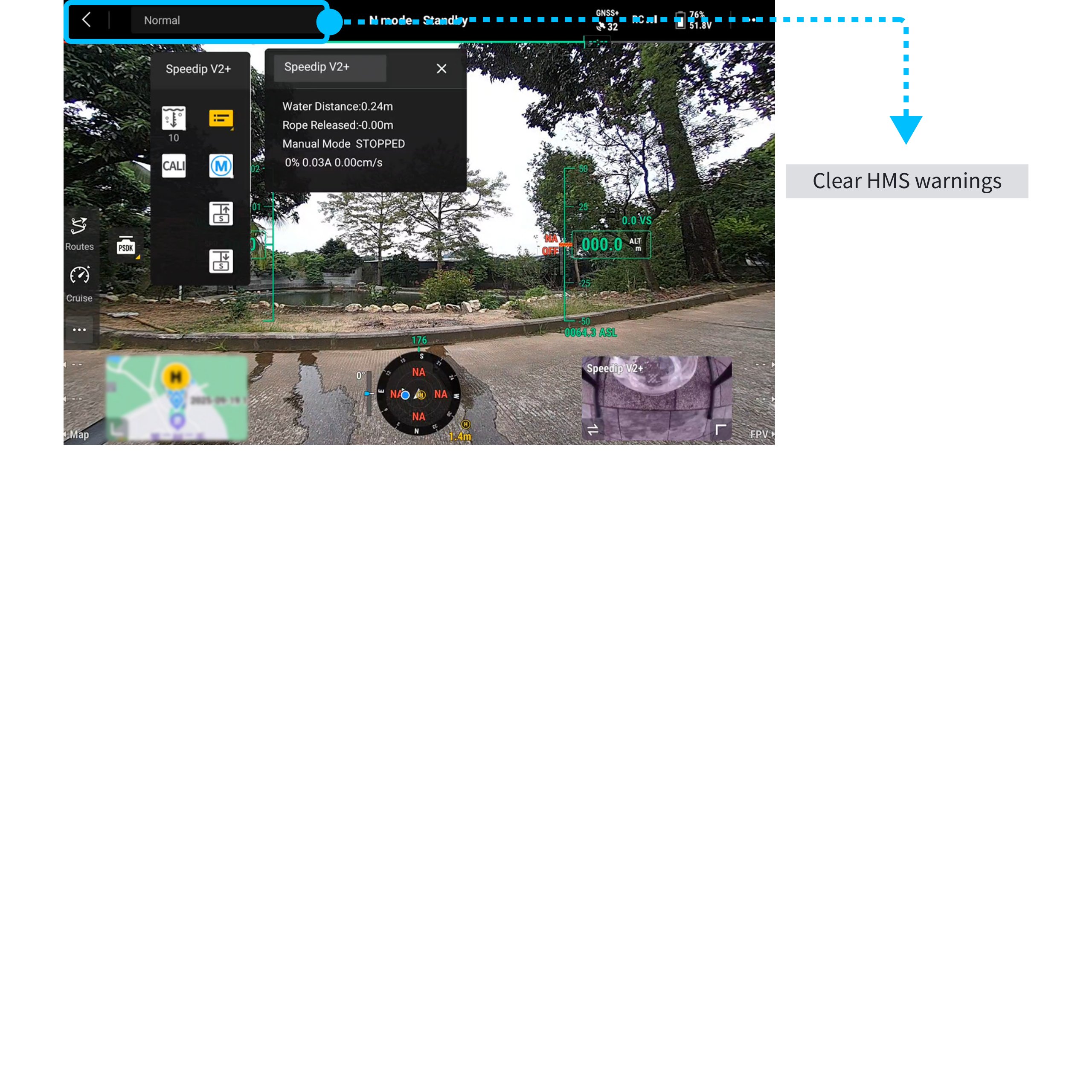
4.4 After Speedip is recognized by the UAV, go to Menu->PSDK, read and click all safety guidelines to unlock Speedip and clear the HMS warning message.
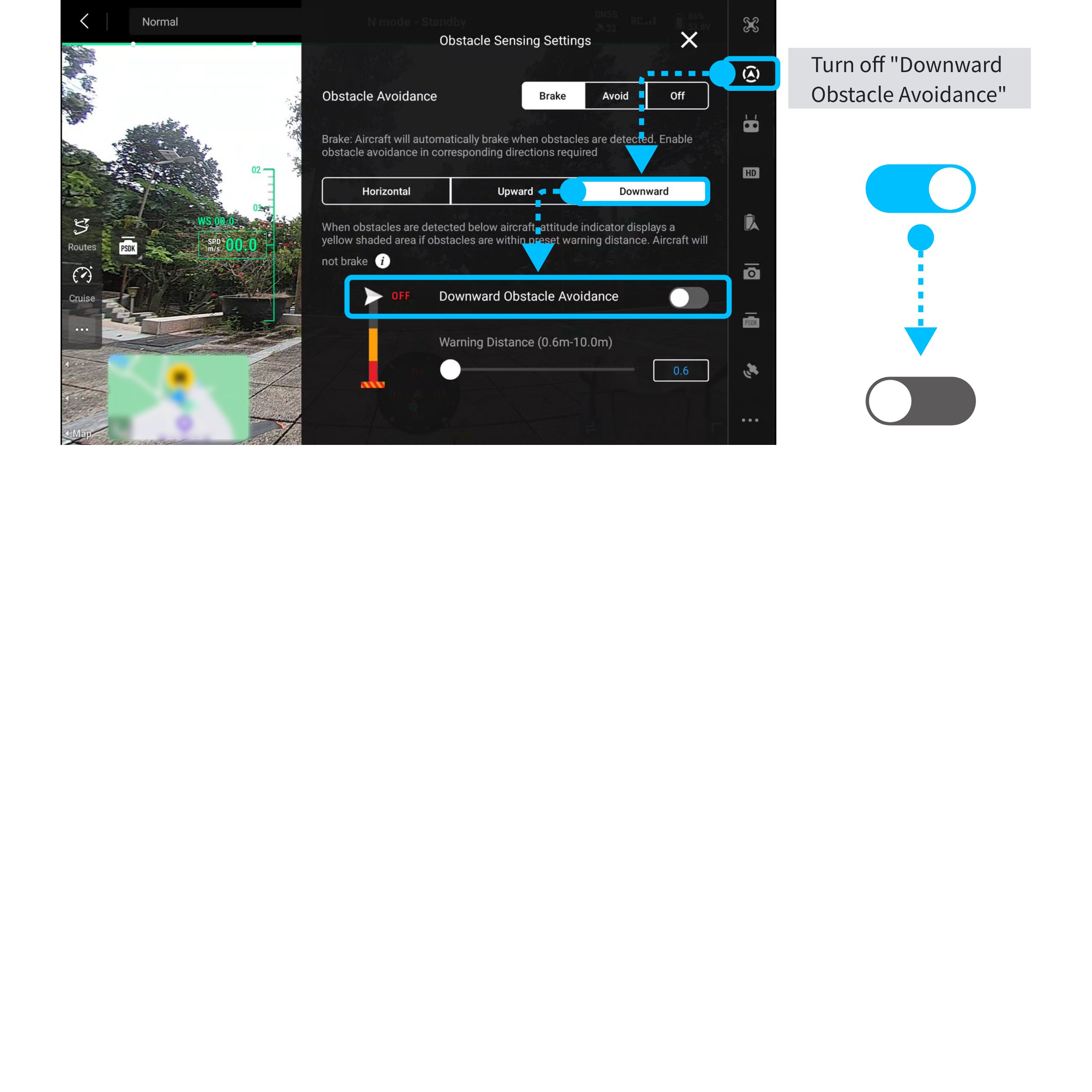
4.5 When using the Speedip V2+ with a DJI Matrice 400 UAV, TURN OFF "Downward Obstacle Avoidance" of the Matrice 400 to avoid the container being falsely recognized by the Matrice 400 as an obstacle.
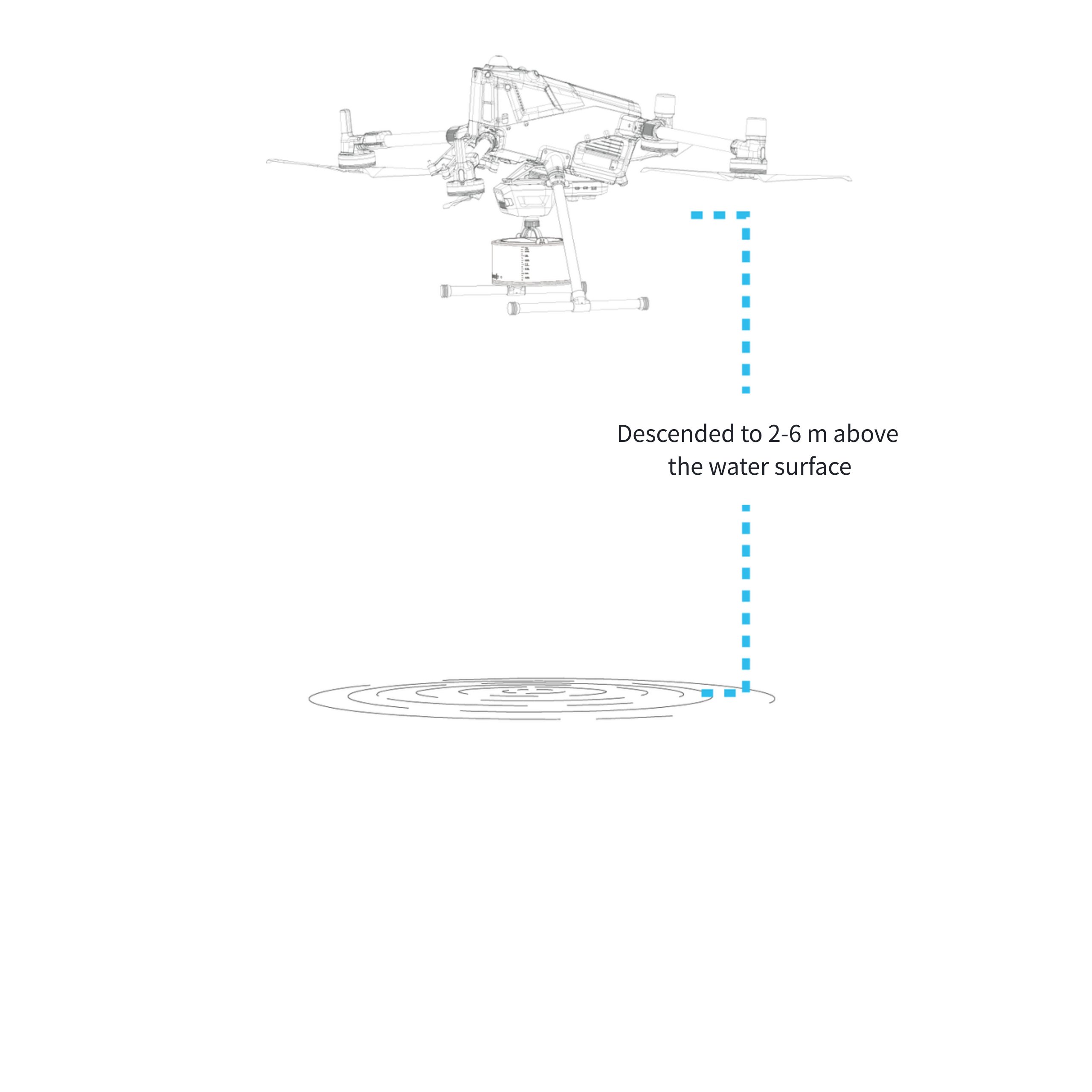
4.6 Sampling (lowering the container) should begin ONLY when the UAV has arrived at the sampling spot & descended to 2-6m above the water surface.
4.7 Operate the Speedip V2+ function menu on the remote controller to perform sampling (choose the appropriate mode based on your needs: Manual Mode or Auto Mode).
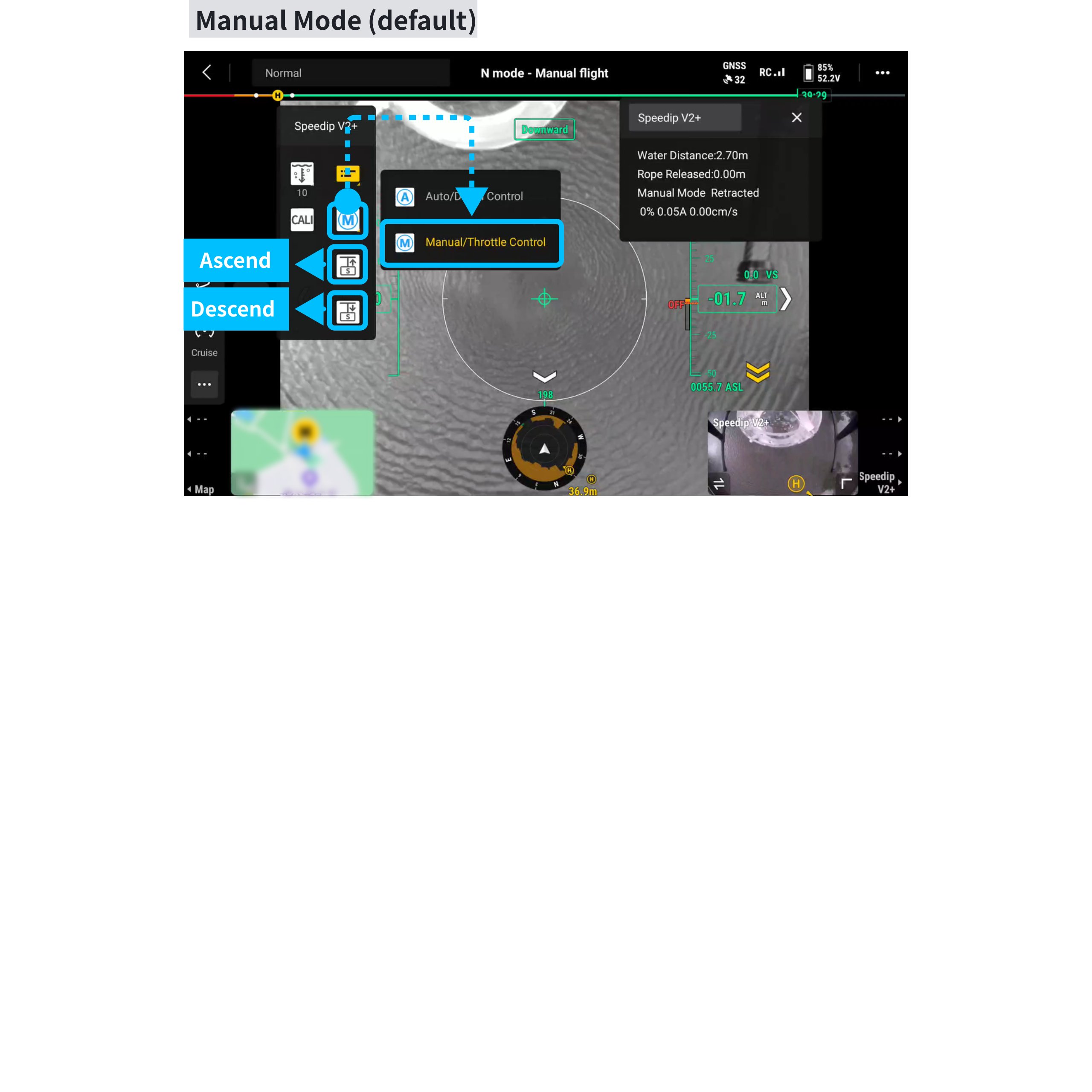
A. Manual Mode (default)
Tap the "Descend" button to lower the sampling container to the desired depth.
Determine that the water sample has been collected.
Tap the "Ascend" button to retract the sampling container all the way to the top position.
Notes:
If the "Ascend" button is tapped during descent, the container will stop moving. Tapping "Ascend" again will start ascent.
If the "Descend" button is tapped during ascent, the container will stop moving. Tapping "Descend" again will start descent.
During descent, the warning LEDs flash red (4Hz); during ascent, they flash green (4Hz); once the container reaches the top, they flash blue (0.5Hz).
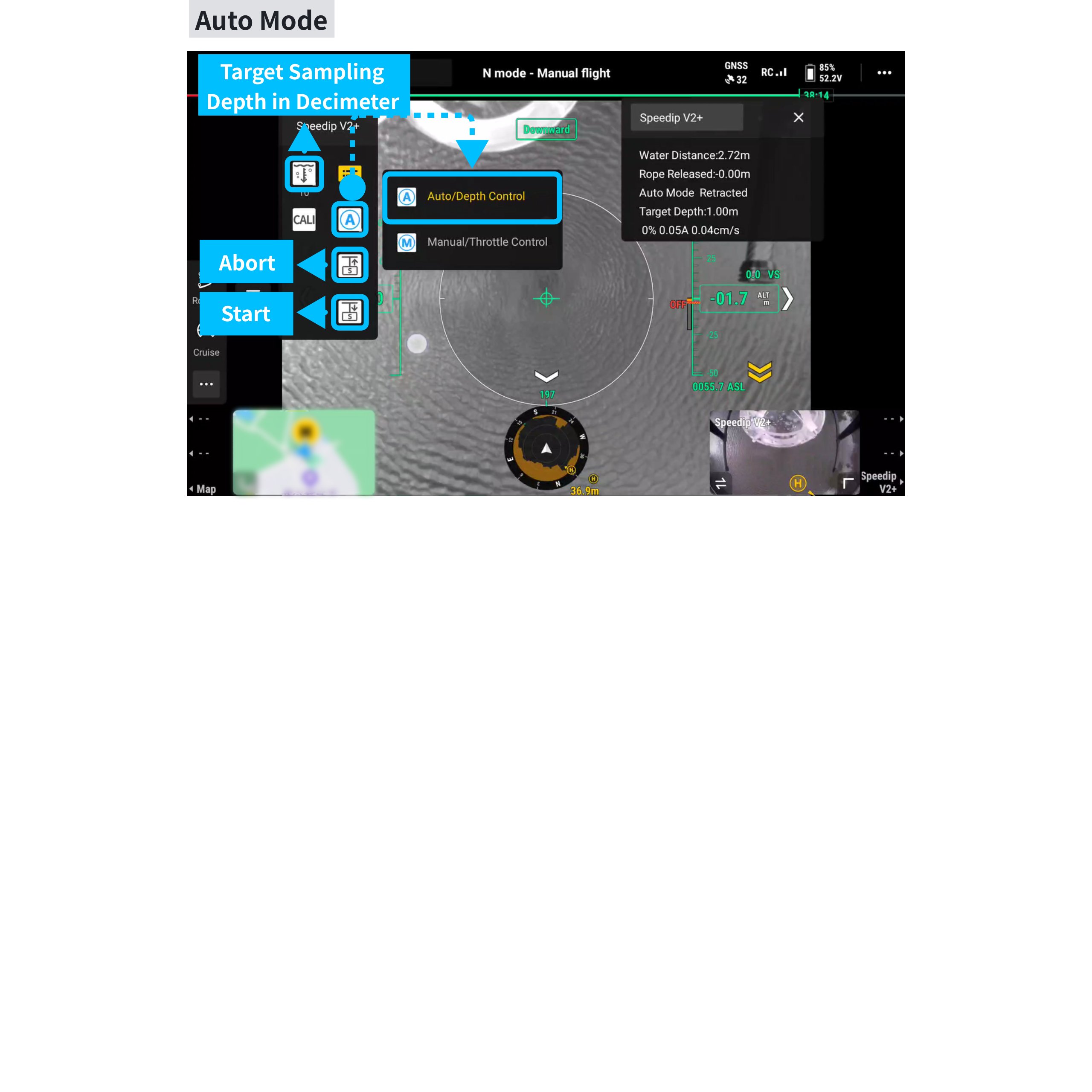
B. Auto Mode
Switch to "Auto" mode.
Set the target sampling depth (in decimeters).
Tap the Start button to begin; the container will descend to the target depth and automatically retract to the top position once sampling is complete (the speed of the container may change during this operation).
Notes:
Tap the "Abort" button to cancel the sampling process if needed.
During descent, the warning LEDs flash red (4 Hz); during ascent, they flash green (4 Hz); once the container reaches the top, they flash blue (0.5 Hz).
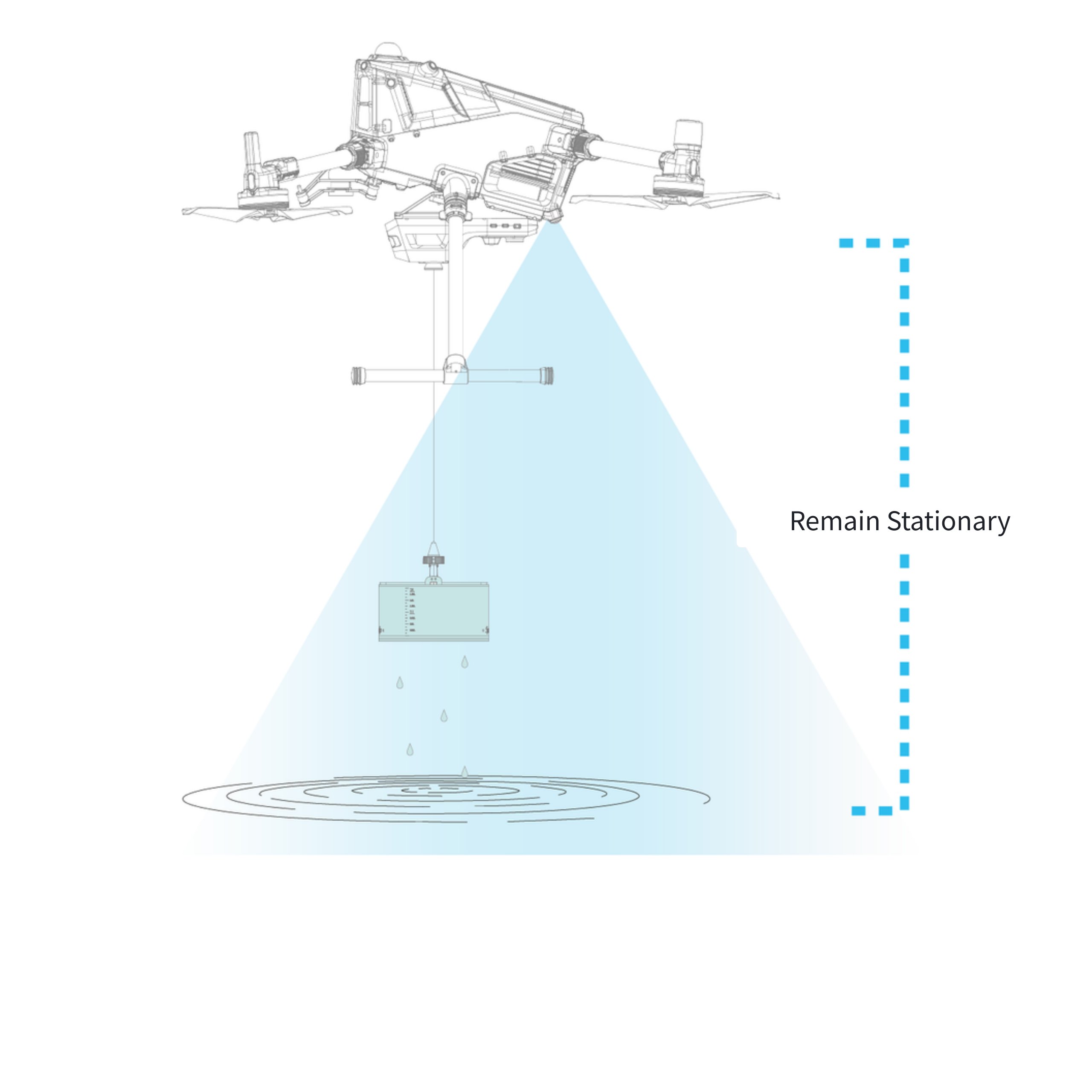
4.8 During a sampling operation (when the container is lowered), the UAV should remain STATIONARY (especially should NOT descend) until the container is FULLY retracted. When the container is lowered, the Matrice 400's infrared sensor (cannot be fully turned off) may falsely recognize it as the ground; trying to descend the Matrice 400 may falsely trigger its landing procedure.
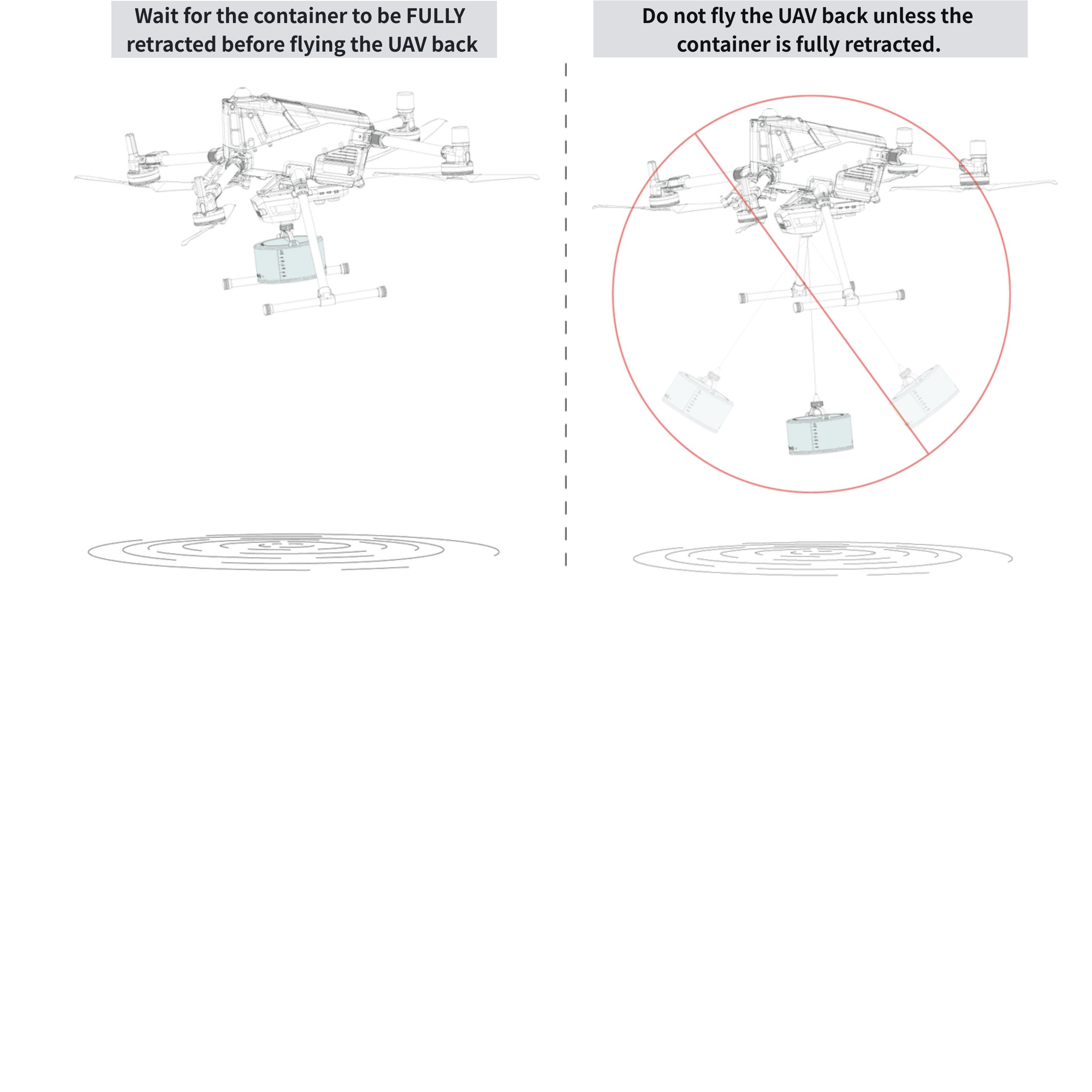
4.9 After the water sample is collected, wait for the container to be FULLY retracted before flying the UAV back.
4.10 Return the UAV to a safe landing area.
4.11 Detach the sampling container.
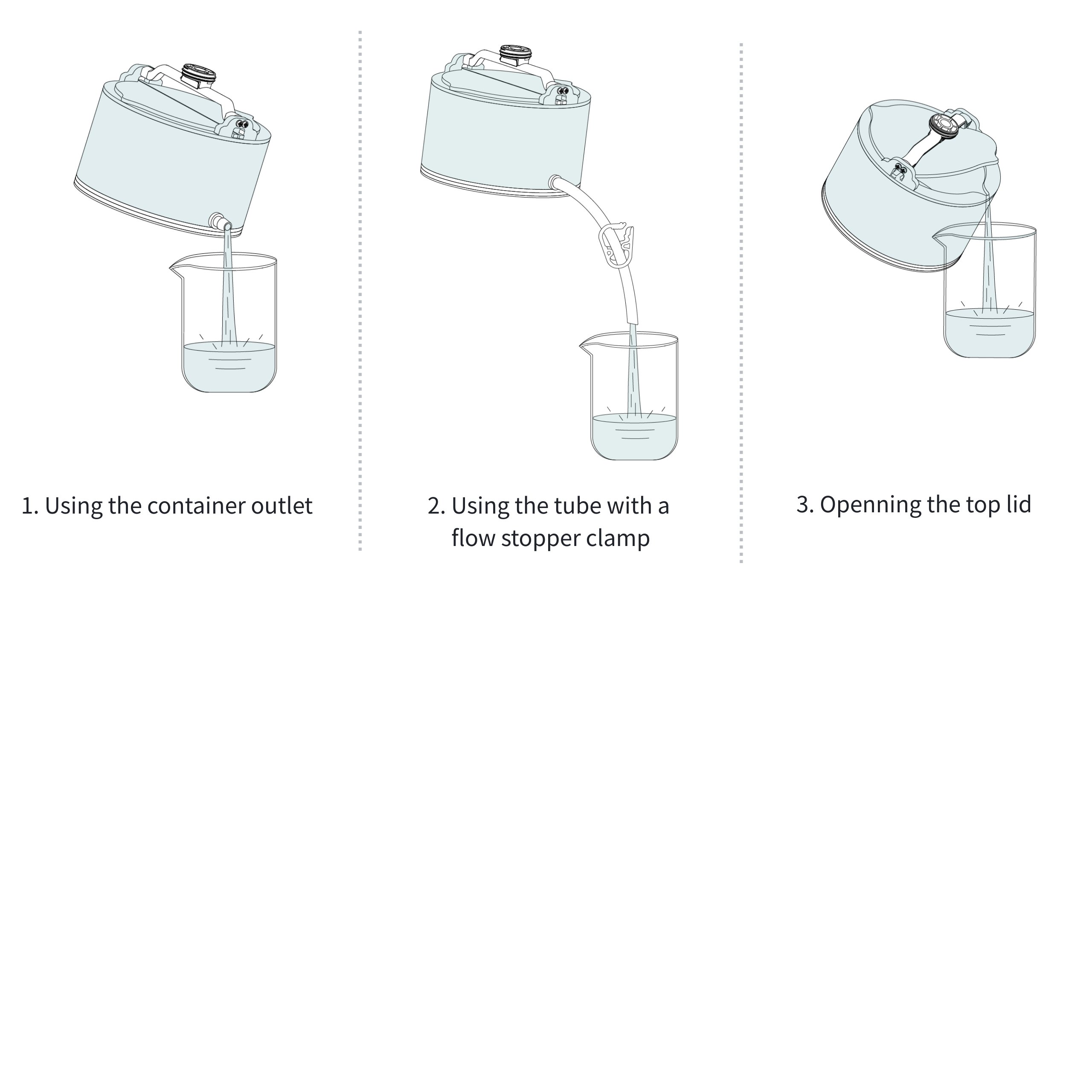
4.12 Transfer the water sample to laboratory containers using an appropriate method (choose the most suitable transfer method depending on the situation).
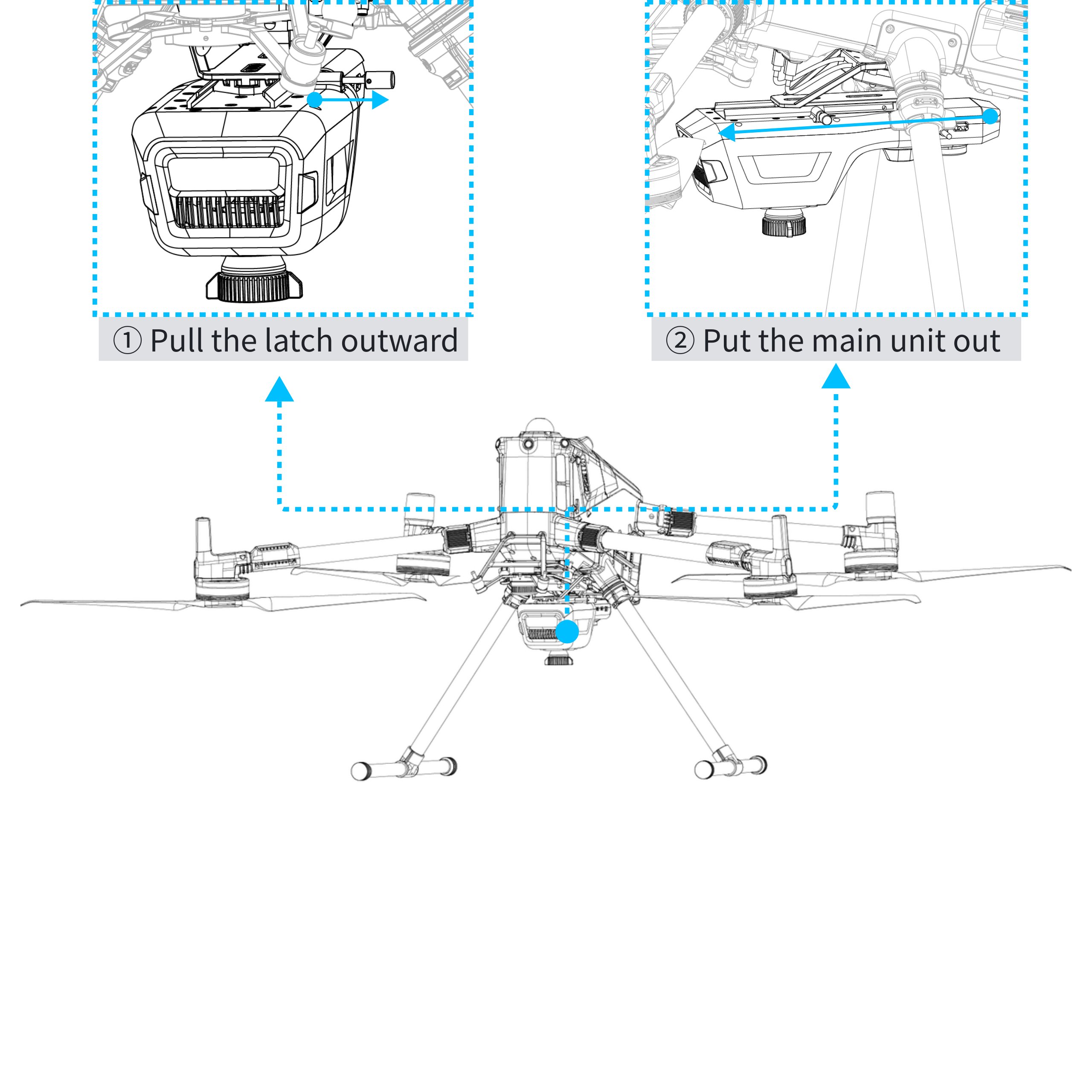
4.13 Power off the UAV and disassemble the Speedip V2+ main unit and accessories in the reverse order of the installation procedure. You may keep the mounting kit on the UAV if you plan to use Speedip in the near future.
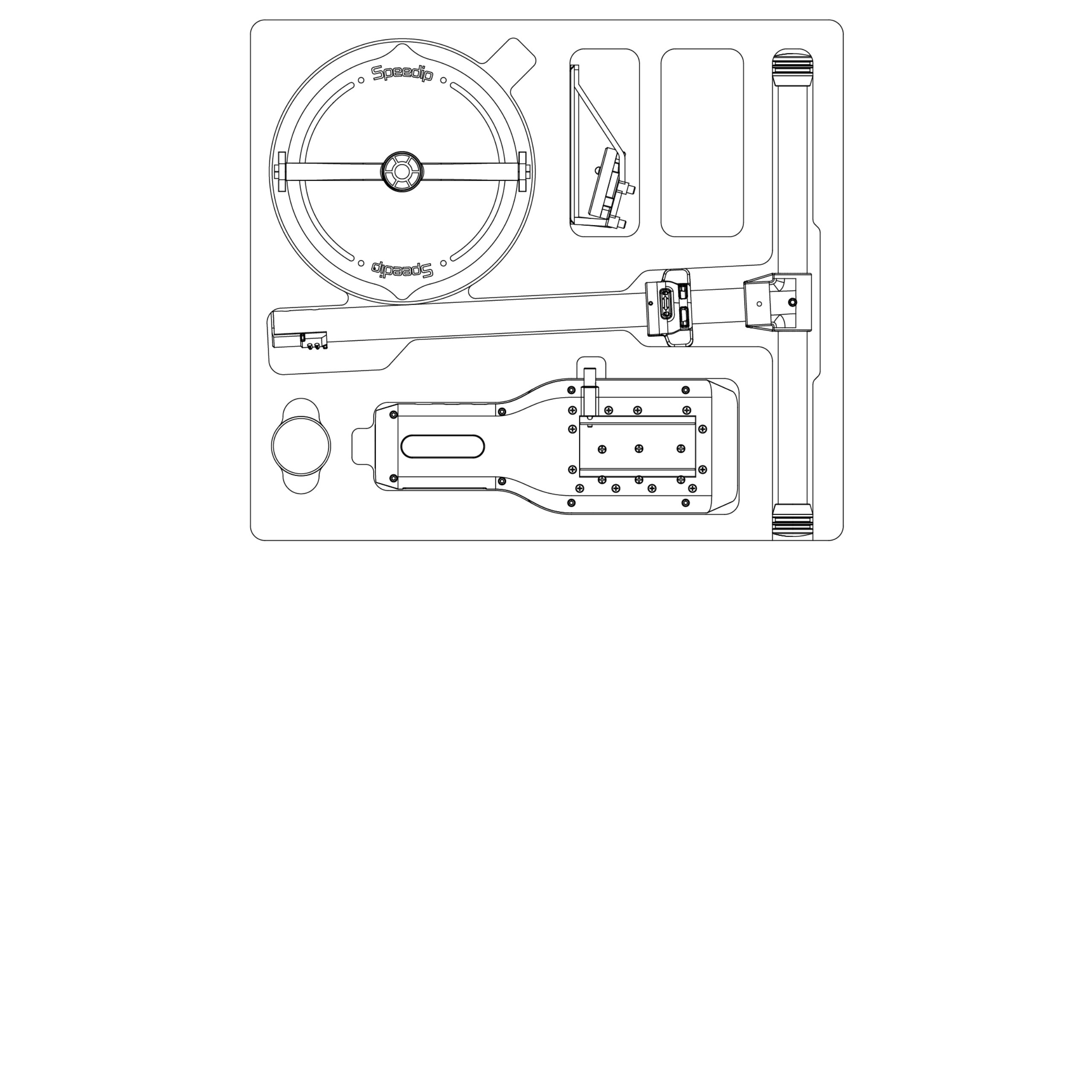
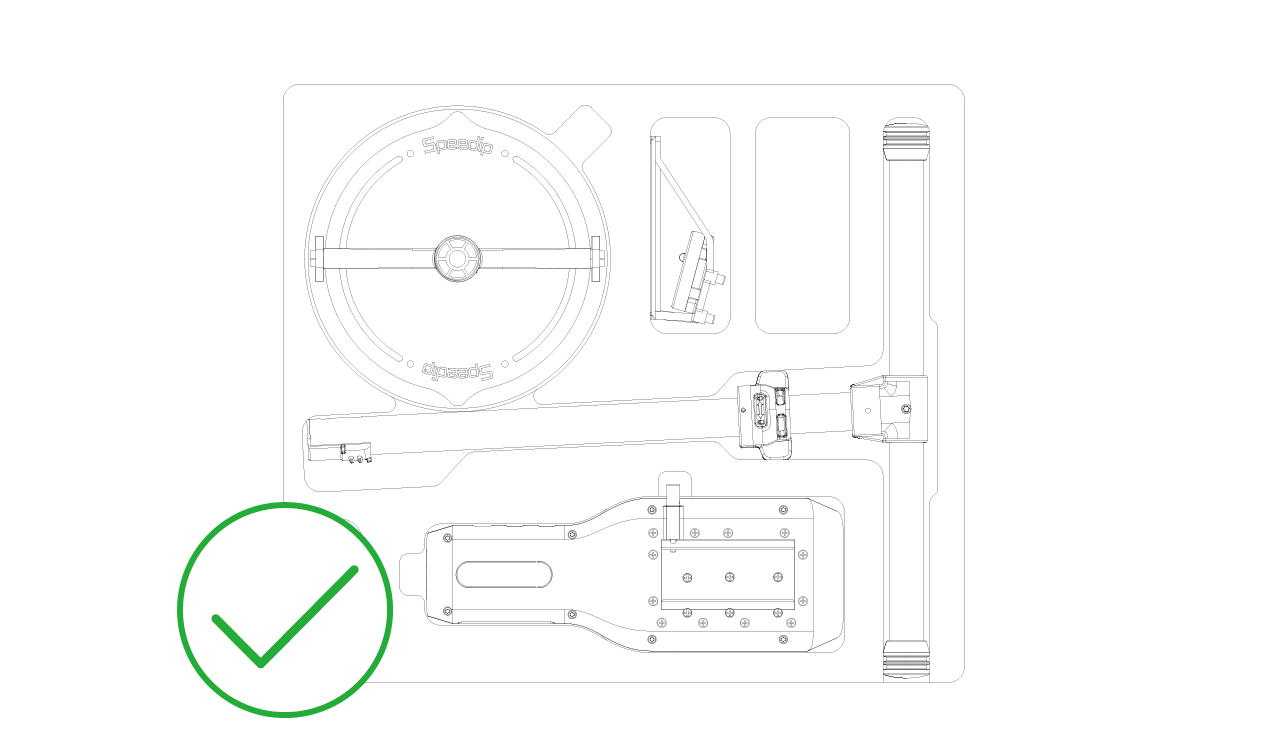
4.14 Wipe off any residual water from the container and the Speedip V2+ main unit. Ensure the equipment is completely dry before storing it long-term in the carrying case. If complete dryness cannot be assured, keep the case open.
5.Common Misuse, Precautions, and Product Limitations
5.1Common Misuse
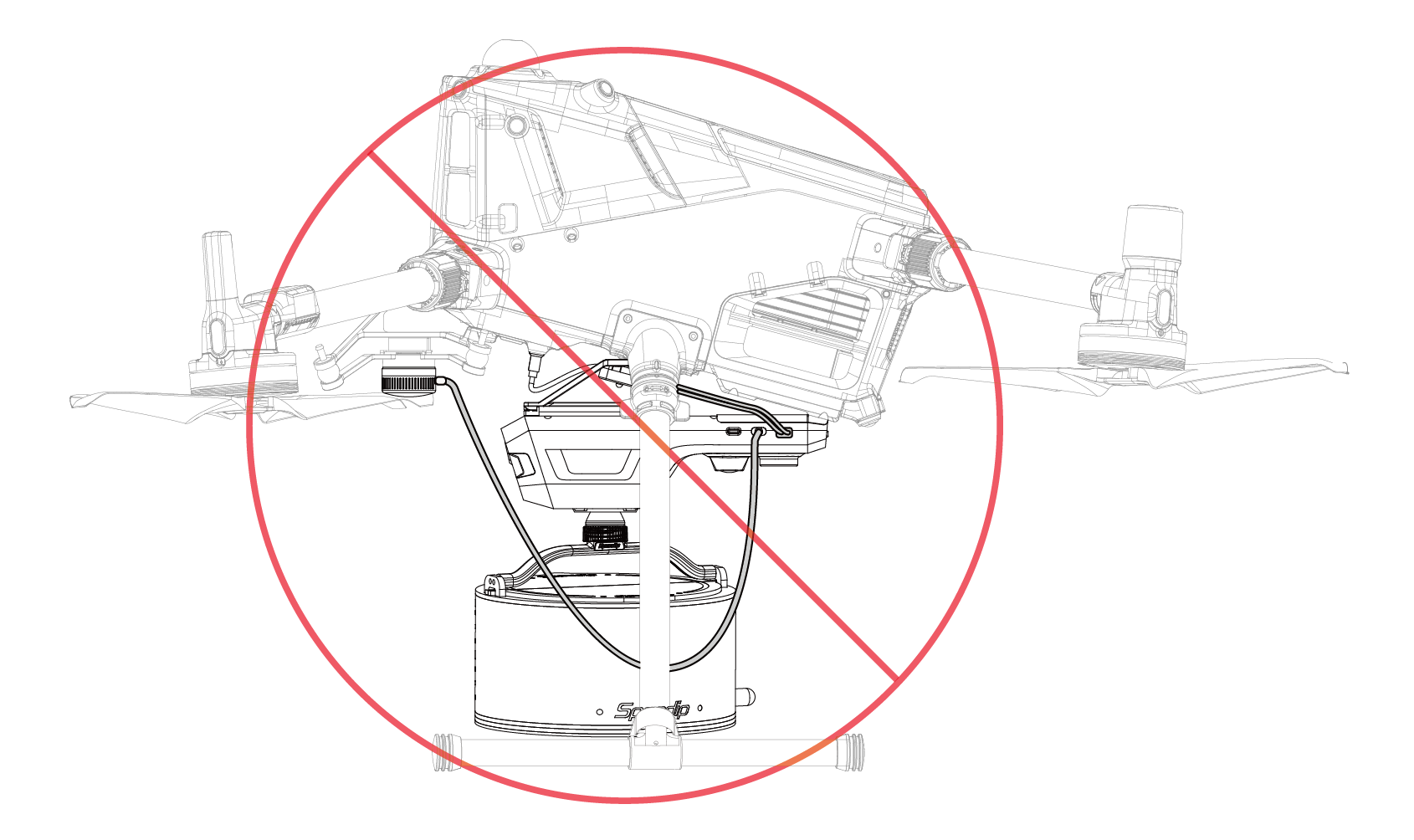
5.1.1 Cable Not Properly Secured
Incorrect Operation
Unsecured Cable
Consequence: Swinging cables may obstruct the UAV's obstacle avoidance camera, impairing performance, or be struck by the propellers, potentially causing a safety incident.
Correct Operation
Strictly Securing the Cables According to Sections 3.8 and 3.9
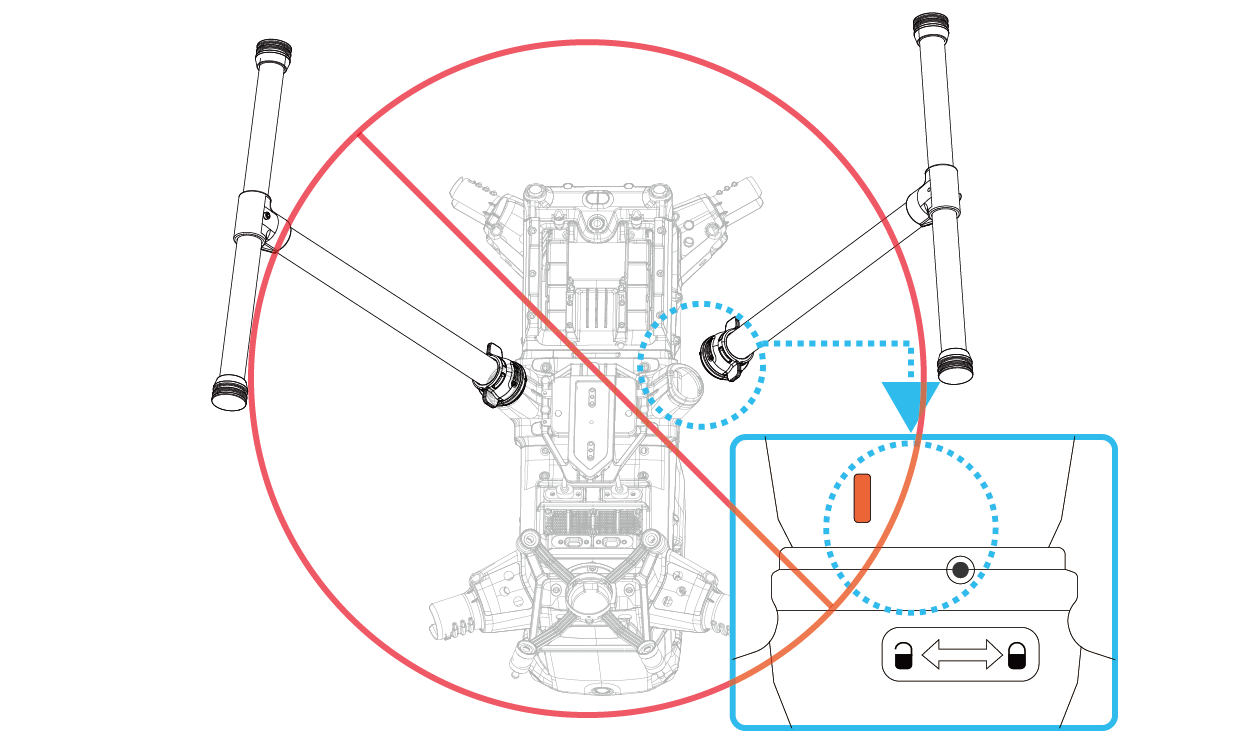
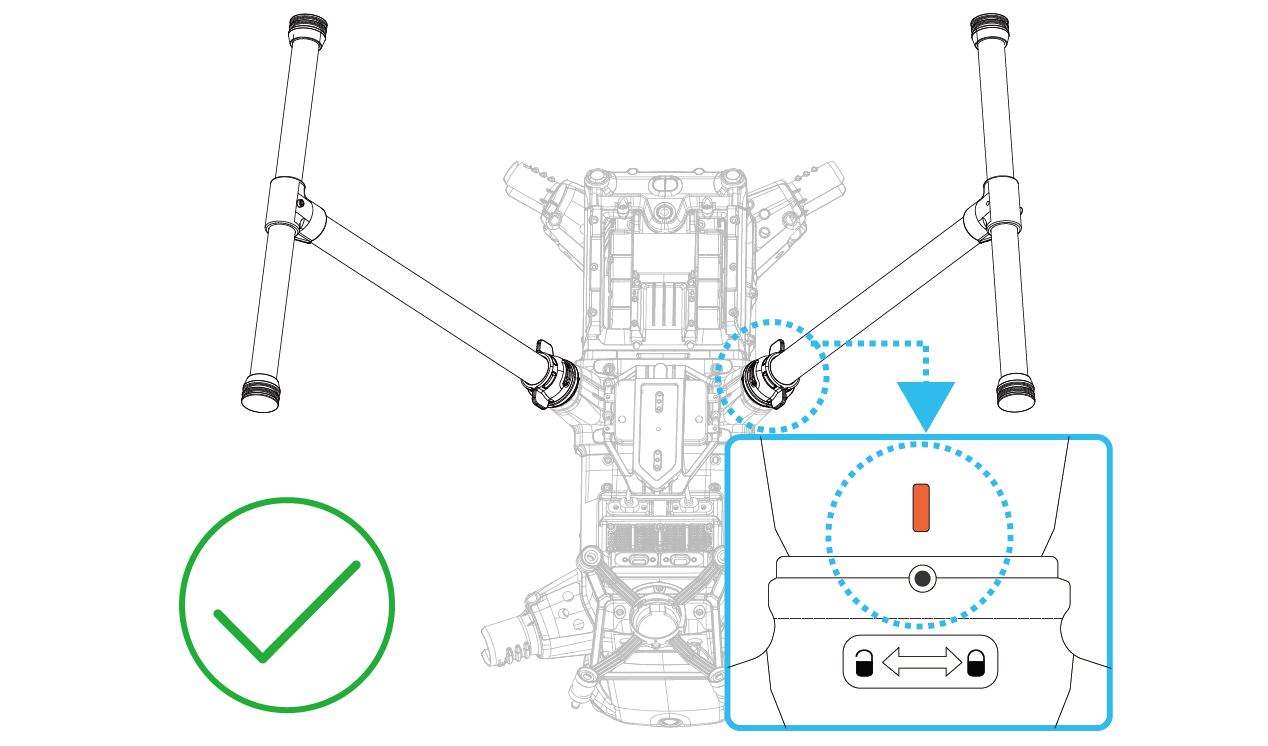
5.1.2 Extended Landing Gear of UAV Not Properly Installed
Incorrect Operation
UAV Extended Landing Gear Not Properly Installed
Consequence: Landing gear may fall off during flight, affecting flight safety.
Correct Operation
Lock and Align With the Installation Position
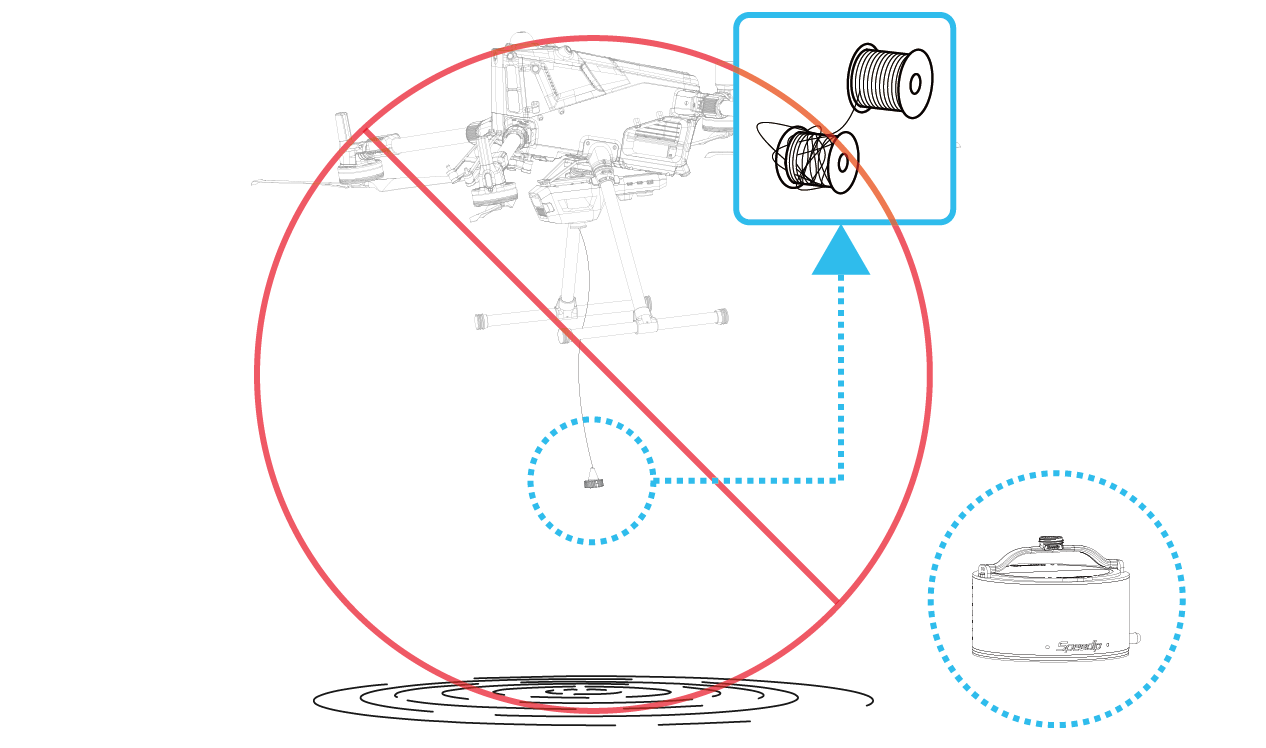
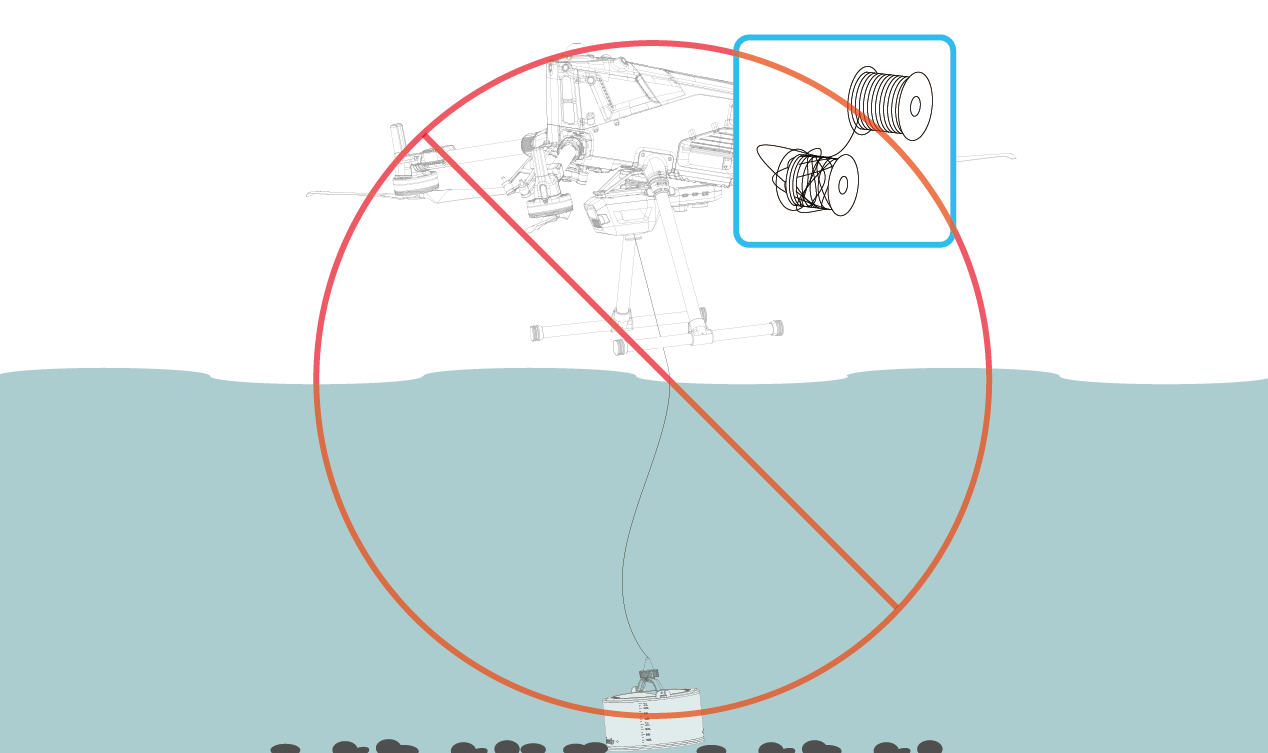
5.1.3 Releasing Rope Without an Attached Container
Incorrect Operation
Releasing Rope Without an Attached Container
Consequence: Although Speedip V2+ features rope tension detection protection, frequently releasing the rope without load may cause internal rope disorder, hindering normal rope deployment.
Correct Operation
Attaching the Container and Ensuring Rope Tension Before Releasing
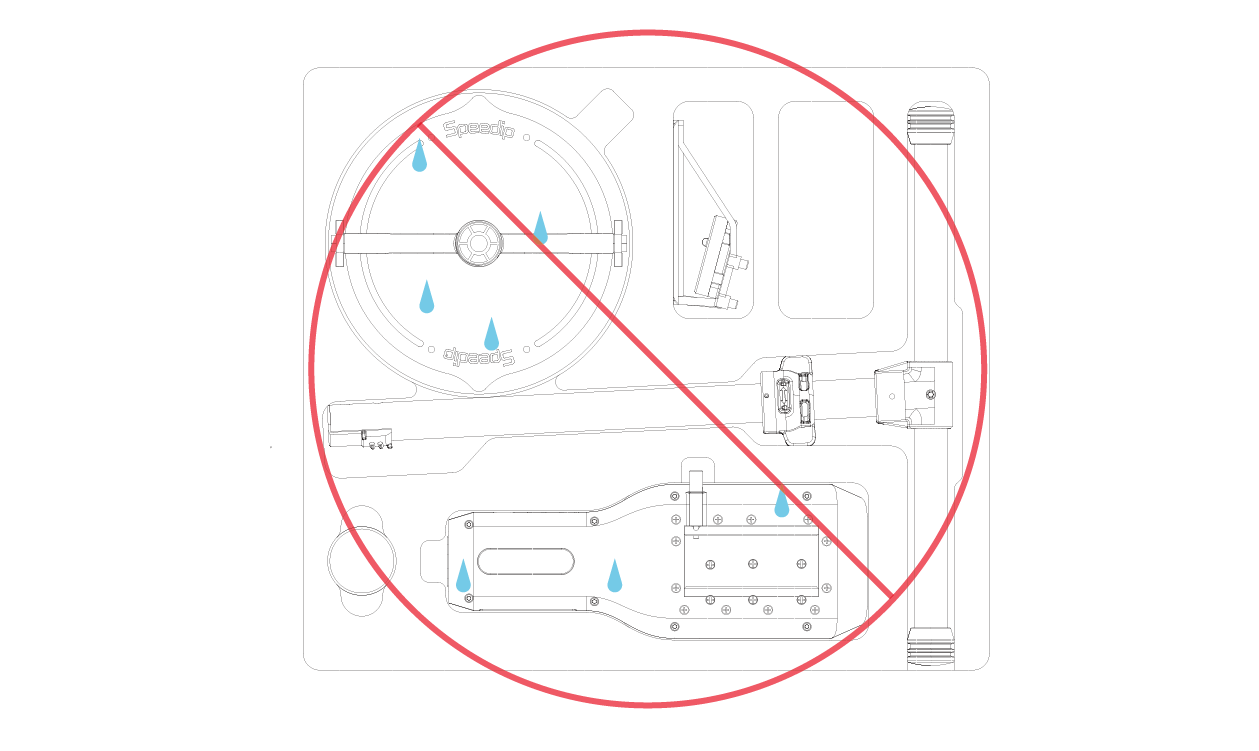
5.1.4 Storing Speedip V2+ Main Unit and Container with Residual Water in the Carrying Case for Long-Term Storage
Incorrect Operation
Storing Speedip V2+ Main Unit and Container with Residual Water Directly in the Carrying Case
Consequence: Excess moisture trapped in the case over time may potentially cause corrosion of the Speedip V2+ and its accessories.
Correct Operation
Ensuring Speedip is Completely Dry Before Long-Term Storage in the Carrying Case
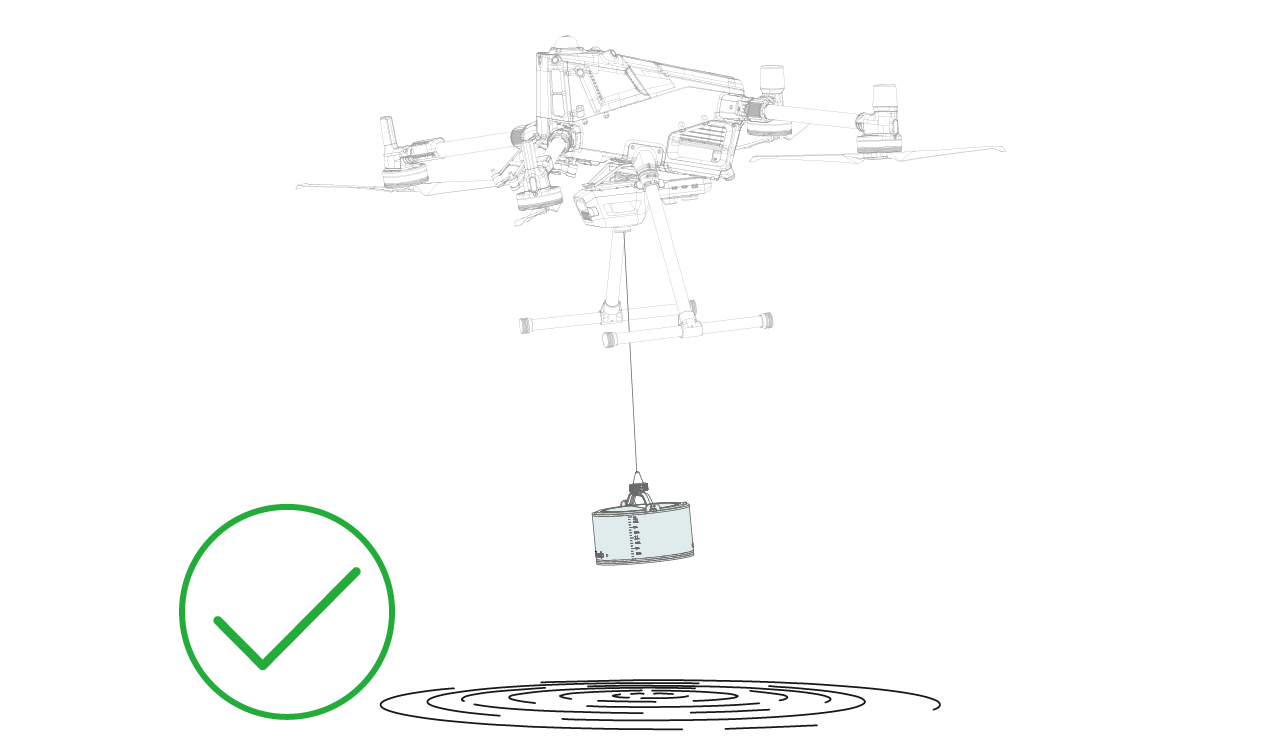
5.1.5 Continuing to Release Rope After the Container Touches the Bottom
Incorrect Operation
Continuing to Release Rope After the Container Touches the Bottom
Consequence: During a mission, if the sampling container touches the bottom, the rope loses tension. At that point, Speedip V2+ will automatically stop releasing the rope and prompt you to retrieve the container (if you believe this is a false alarm, you may click the Descent button to continue lowering). Persistently releasing slack rope can easily cause internal entanglement, severely impairing proper cable deployment.
Correct Operation
Collecting Water Samples Only Within the Safe Depth Range
5.2Precautions
5.2.1 UAV Altitude Drift Leading to Inaccurate Sampling Depth or Sampling Failure
Due to environmental factors, the UAV may experience altitude drift (inability to maintain a precise altitude), which can result in inaccurate depth control during fully automated sampling or even sampling failure.
⚠ If altitude drift occurs, please exercise caution when using the fully automated sampling function.
5.2.2 Incompatibility with Other UAV Models
The Speedip V2+ (Matrice 400 model) cannot be used on other UAV models (including the DJI Matrice 350).
5.2.3 Power-On Sequence
Always start the DJI RC before powering up the M400 and Speedip. If the controller is switched on later, the Speedip PSDK control buttons may not be displayed correctly in the DJI Pilot app.
5.3Product Limitations
Liquid Exposure Warning
Speedip V2+ has undergone waterproof and anti-corrosion treatment on key components of the circuit board to enhance durability in high-humidity or high-salinity environments. However, its ports and air vents are not waterproof. Liquid splashes from specific directions may cause damage to the device.
To ensure optimal performance:
Avoid exposing the Speedip V2+ main unit to water (especially near its ports and air vents).
Immediately dry the device if it comes to contact with liquid.
⚠ Damage caused by liquid ingress is not covered under the Speedip V2+ free warranty.
Inaccurate "Water Distance" at Greater Water Surface Distance
When lowering the sampling container 6–10 m above the water surface, the reflection signal from the water surface is weak. As a result, the millimeter-wave radar may mistakenly identify the container as the water surface, leading to an erroneous 'Water Distance' reading.
Limited Suitability in Some Water Environments
Strong Currents:
This product is not suitable for fixed-depth water sampling in areas with strong currents. The lateral force from the water flow can cause the cable to deviate from a near-vertical orientation, resulting in an actual sampling depth that is significantly shallower than the displayed depth.
High Sediment Content:
It is not recommended for sampling in areas with high sediment levels. Solid particles can compromise the seals of the container's lids, leading to rapid leakage of the water sample. If this occurs, please clean the container before reuse.
Incompatibility with DJI Matrice 400 Millimeter-Wave Radar
The built-in millimeter-wave radar of Speedip V2+ is not compatible with the DJI Matrice 400's radar. When Speedip V2+ is installed, the DJI Matrice 400’s radar function will be disabled.
Possible Automatic Shutdown of the DJI Matrice 400's Downward-Facing Infrared Sensor
During flight with Speedip V2+ (Matrice 400 Model), there is a small chance that the DJI Matrice 400's downward-facing infrared sensor will shut down automatically (with a prompt shown on the remote controller).
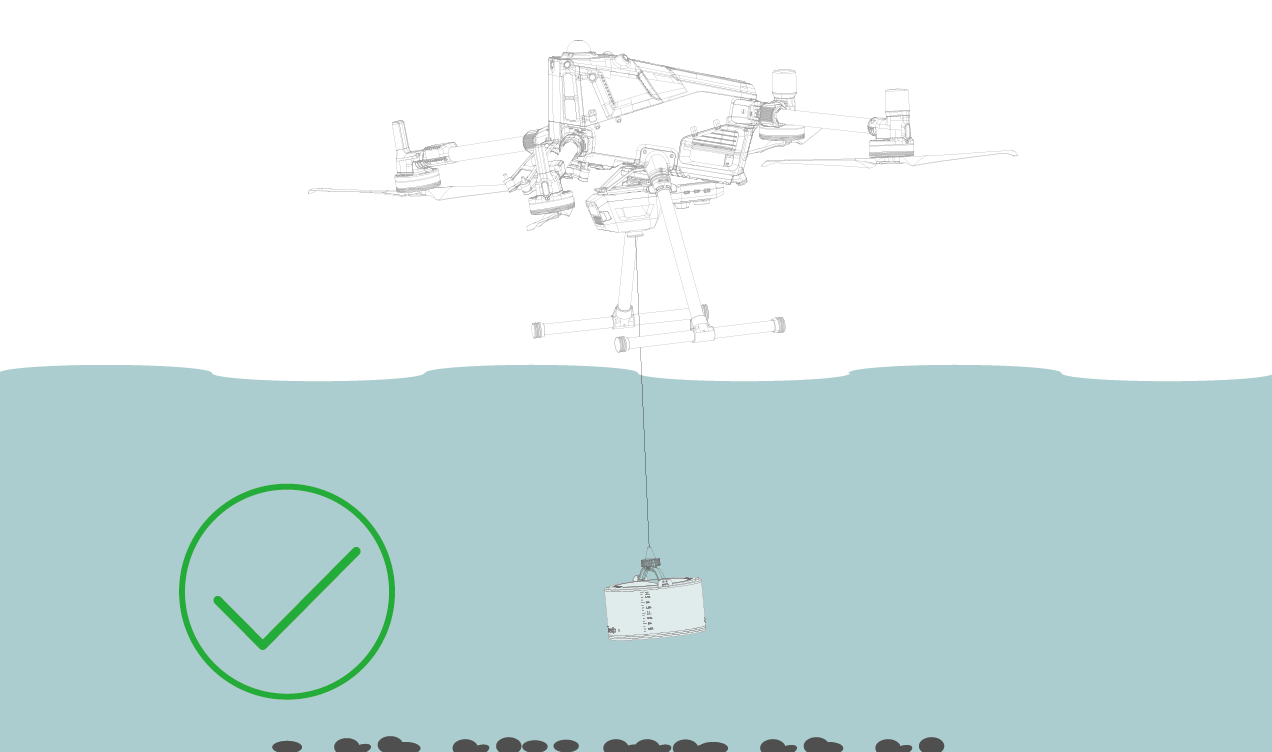
When this happens, the UAV cannot detect ground proximity. Please descend slowly and carefully to avoid any damage.